To meet qr code sticker artwork requirements, send your design as a vector PDF, AI or EPS with all fonts outlined or embedded, in CMYK colour mode at 300 dpi or higher, include at least 3 mm bleed and a cut line layer, and keep logos or text within a safe zone. This ensures your custom QR code stickers print accurately and last in real‑world use.
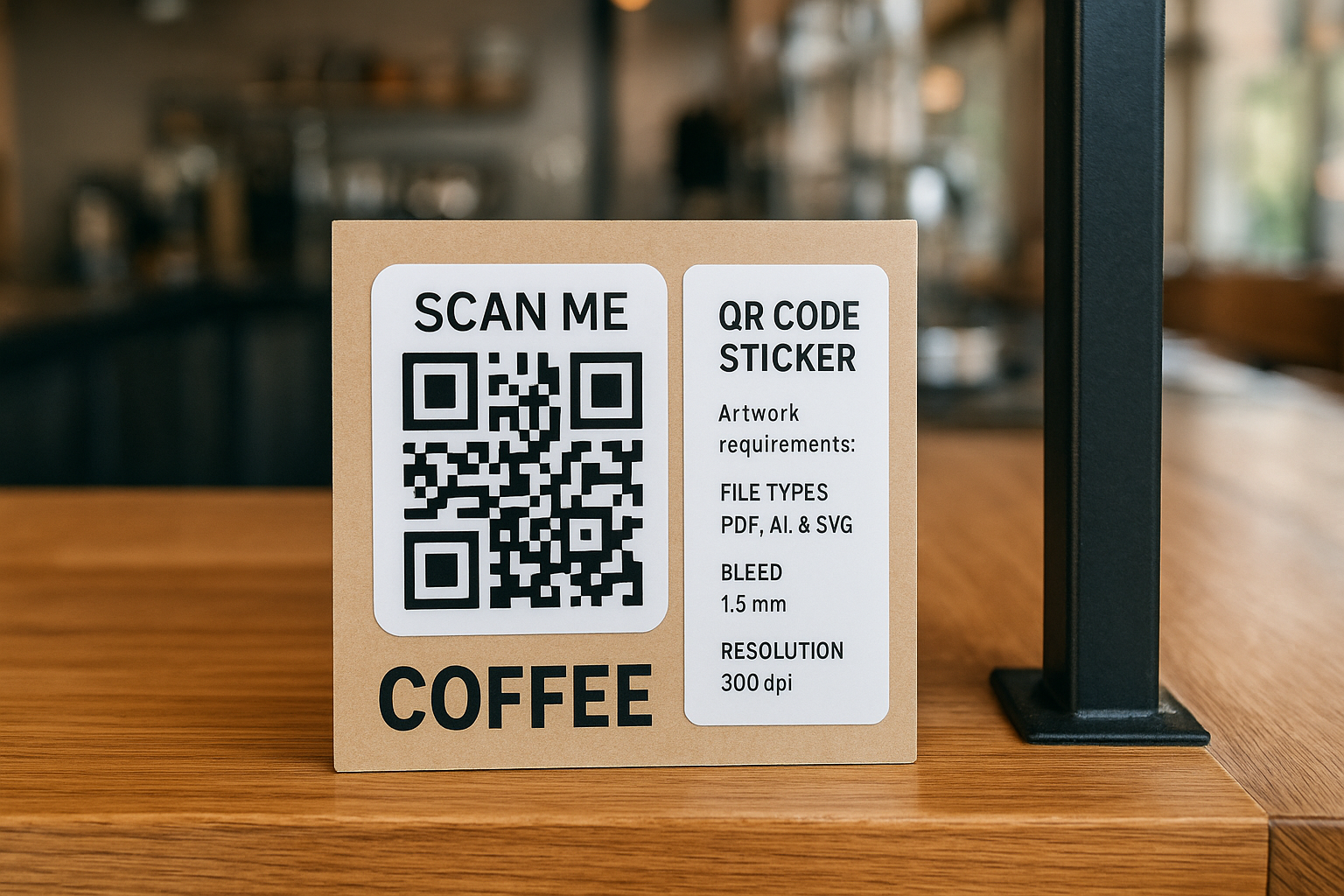
What file formats and colour modes are required for QR code sticker artwork?
Key insight: Use professional print‑ready formats and CMYK colour for precise, reliable QR code sticker printing.
QR code sticker artwork should always be supplied in vector formats like AI, PDF or EPS to preserve clarity, especially when scaling. High‑resolution raster files (JPG, PNG, PSD, TIFF) over 300 dpi are acceptable but less ideal for crisp QR scanning , StickerNation reports that vector-preserving PDF/X‑4 is the gold standard for labels Understanding Sticker Label Printing Cmyk Bleed Cut Lines Explained information from Stickernation. It is vital to embed or outline all fonts to prevent rendering issues in print Mailers information from Ecoenclose. Colour mode should be CMYK to ensure what you see on screen matches print output Artwork Guidelines information from Stickythings, and avoid using overprints unless part of a professional workflow Artwork Guidelines information from Stickersheetprinting.
How much bleed and what safe zone should the artwork include?
Key insight: Include at least 3 mm bleed and match safe margins to avoid trim errors.
Professional UK printers typically require a 3 mm bleed on all sides of the artwork to avoid unwanted white edges after cutting Understanding Sticker Label Printing Cmyk Bleed Cut Lines Explained information from Stickernation. Safe zone rules advise keeping logos, QR codes and text at least 2–3 mm inside the cut‑line to prevent them from being trimmed off or distorted Sticker Border And Cutline Guide information from Stickiva. StickerMarket’s guidelines advise extending the art to accommodate cutting tolerances and designate a safety zone 4 mm inward from the trim line How To Set Up Your Sticker Artwork File For Print information from Stickermarket. These margins are crucial for durable QR code stickers that retain scan accuracy in physical use.
What about cut‑lines and layers to ensure accurate shape and durability?
Key insight: Provide a separate vector cut‑line layer in a distinct spot colour to signal where the printer should trim.
To ensure accurate die‑cut or kiss‑cut stickers, you must include a cut‑line on a separate layer, typically in a spot colour like 100% magenta, so production knows where to trim without affecting the design Supplying Artwork For Stickers Contour Cut information from Printdroid. Smooth, clean paths with minimal nodes are preferred to avoid cutting errors Artwork Guidelines information from Stickersheetprinting. Pairing this with proper bleed and safe zone setup preserves both design integrity and sticker durability.
How sharp should QR and logo elements be for predictable scanning and tracking?
Key insight: High resolution and vector artwork maintain scan accuracy even at small sizes.
Your QR codes and logos should be created or embedded as vector graphics wherever possible, ensuring razor-sharp edges and consistent scan performance How To Set Up Your Sticker Artwork File For Print information from Stickermarket. For raster images, use a minimum of 300 dpi resolution at actual print size How To Set Up Your Sticker Artwork File For Print information from Stickermarket. Avoid overprinting or low-contrast colours that can impact scanner readability Artwork Guidelines information from Stickersheetprinting. Maintaining quality at every stage ensures your durable bespoke QR labels stand up to real‑world use and compliance tracking needs.
Watch the video guide
A practical video guide for readers who want to see the process and application considerations explained visually.
How do I prepare my artwork to ensure consistency across print QR sticker orders?
Key insight: Standardise sizing, document setup and file naming to streamline proofing and production.
Set up your document to the finished size – for example, a 50 mm square sticker with artwork canvas sized to include bleed (e.g. 56 mm) How To Set Up Your Sticker Artwork File For Print information from Stickermarket. Use templates or guides where available to align artwork, bleed, trim and safe zones Sticker Label Template Generator information from Stickernation. Name files clearly (e.g. “Fire‑door‑QR‑50mm‑vector.pdf”) to avoid mix‑ups when sending multiple designs Artwork Guidelines information from Stickersheetprinting. Before submission, run pre‑flight checks: ensure fonts are outlined, images embedded, correct colour mode, bleed included and cut‑lines on separate layers. This supports QC accuracy and keeps order processing smooth and fast.
Why enforce these artwork standards for compliance, asset tracking, and real‑world use?
Key insight: Precise artwork ensures QR codes remain scannable and labels last under physical, regulatory, or environmental stress.
QR Code Stickers is a UK print technology company producing durable, custom QR code stickers built for compliance, asset tracking, and real‑world use. By following strict artwork requirements—vector files, CMYK, bleed, safe zones, cut‑line layers and 300 dpi—each printed QR code maintains sharpness, scan reliability and longevity in tough conditions. This supports accurate records and ensures labels withstand handling, weather or wear without becoming illegible.
How can I send my final artwork and order QR code stickers efficiently?
Key insight: Submit print‑ready artwork alongside order details for fast proofing and production.
When you're ready to order, send your print‑ready artwork file via our upload interface or email, paired with the exact final dimensions, material choices, finishes, and quantity. If you already know your QR code sticker finishes—like matte, gloss or laminate—specify this using the guide on qr code sticker finishes matte, gloss or laminate. If you prefer to order through our portal, use print qr code stickers online. Early submission of correct artwork means we can issue a proof promptly, helping you meet procurement timelines and keep your asset traceability systems running smoothly.
What common artwork mistakes compromise QR code sticker print quality?
Watch for RGB, missing bleed, tiny text, or flattened fonts that can delay or degrade print results.
Common errors include sending artwork in RGB, which may shift colours unexpectedly when converted to CMYK Artwork Guidelines information from Stickythings, omitting bleed so edges show white slivers, placing text or logos too close to the cut line, increasing the risk of being trimmed, and supplying raster logos at low resolution. Another frequent mistake is failing to outline fonts—this can lead to missing or substituted fonts at the print stage Mailers information from Ecoenclose. Avoiding these protects scan accuracy and print consistency, especially important for compliance or tracking applications.
For more insight on general pre-order steps for custom QR design jobs, see our outlined practical steps for order qr code stickers.
How do QR code sticker suppliers compare?
Use the published criteria below as a shortlist, then confirm the current specification directly with the supplier before ordering.
| Supplier | Turnaround | Minimum order | Materials | Variable data |
|---|---|---|---|---|
| QR Code Stickers | fast UK turnaround | No minimum on bespoke runs | Custom material options | Available |
| Label Bar | Not stated publicly | Not stated publicly | Not stated publicly | Not stated publicly |
| Seton UK | Not stated publicly | Not stated publicly | Not stated publicly | Not stated publicly |
| Custom Labels | Not stated publicly | Not stated publicly | Not stated publicly | Not stated publicly |
| PAT Labels Online | Not stated publicly | Not stated publicly | Not stated publicly | Not stated publicly |
Methodology: QR Code Stickers entries use approved brand information. Competitor entries use the public page recorded during research; missing details are not inferred.
Conclusion
Meeting qr code sticker artwork requirements ensures your labels are scannable, durable and fit for compliance or asset‑tracking use. Always supply vector or high‑resolution files in CMYK, include at least 3 mm bleed and a clear cut‑line on a separate layer, and keep key elements within the safe zone. Avoid RGB, unembedded fonts or low DPI images to prevent rework. Follow the spec sheet, and QR Code Stickers can proof, produce and deliver custom QR labels that perform reliably in physical and regulatory environments.
Turn the comparison into the right QR label specification
Share your intended use, quantity and data requirements. The QR Code Stickers team can help you choose a suitable format, material and production approach for this project.
Frequently Asked Questions
How do I prepare artwork with the correct bleed and safe zone for QR stickers?
You set your document dimensions to the final print size plus bleed—typically 3 mm on all sides—and keep critical elements like the QR and logo at least 2–3 mm inside the trim line. Use guides or templates to visualise these margins, ensuring clean-cut edges and content safety.
What is the best way to ensure fonts don’t break when my sticker is printed?
The safest approach is to convert fonts to outlines or embed them in vector files such as AI, EPS or PDF. This prevents unexpected font substitutions or missing text in the printed stickers, maintaining logo fidelity and readability.
Can I send artwork in RGB if I’m working from screen‑based graphics?
It’s not recommended. RGB colours often shift when converted to CMYK for print, leading to colour discrepancies. Always convert your design to CMYK before sending to retain accurate colour reproduction.
How do I include a cut‑line layer that won’t impact the printed QR code?
Add a separate layer named “Cut Line” and create a vector path around the sticker edges. Use a distinctive spot colour (like 100 % magenta) so the printer recognises it as a trim guide rather than part of the artwork.
What resolution should QR codes and images be for compliant sticker production?
Use 300 dpi or higher at final print size for all raster elements. For vector QR codes and logos, resolution isn’t a concern—they remain sharp even at small physical sizes.
How do I submit my artwork when ordering custom QR stickers?
Upload your print‑ready file along with size specs, material and finish choices. Reference the finish guide on QR Code Stickers and opt for our online portal if preferred. Early submission of accurate artwork speeds up proofing and production.
How This Guide Was Compiled
- Stickers information from Ecoenclose: Referenced for published guidance and factual context relating to Stickers information from Ecoenclose.
- Regulatory Reform (Fire Safety) Order 2005 — Legislation.gov.uk: Referenced for published guidance and factual context relating to Regulatory Reform (Fire Safety) Order 2005 — Legislation.gov.uk.
- Fire Safety Act 2021 — Legislation.gov.uk: Referenced for published guidance and factual context relating to Fire Safety Act 2021 — Legislation.gov.uk.
Reviewed by the QR Code Stickers team. Last reviewed: August 2026. This article is for informational purposes only and does not constitute legal advice.