
Key Takeaways
Good business flyers give one audience one useful reason to act. Plan the message, design for quick reading, print carefully and measure what happens after distribution.
- Set one measurable objective for each flyer.
- Write for a defined audience, place and buying stage.
- Make the headline, benefits and call to action easy to scan.
- Use QR code stickers when a printed message needs a live digital route.
- Track responses and improve the next version.
Define the purpose and audience of your business flyers
Business flyers work best when they support a specific commercial task rather than trying to explain everything at once. Decide whether the aim is to generate enquiries, promote an event, fill appointments or direct people to a longer resource. QR code stickers can add a practical route from a physical handout to current information, provided the destination has a clear job to do.
The strongest campaigns also account for where the flyer will be seen and who has time to respond. A handout at a trade counter needs a different message from a leaflet delivered around a postcode. For organisations managing physical assets, a flyer might also explain how printed labels connect equipment, checks or instructions to digital information.
Set one clear marketing objective
Choose one action that can be counted. It might be a phone call, form submission, booking, quotation request or visit to a campaign page. A QR code stickers campaign should have the same discipline: decide whether a scan is meant to open instructions, capture a lead, confirm a safety check or present an offer.
Avoid combining several competing objectives in the headline. Supporting information can answer likely questions, but the reader should not have to work out what to do next. One measurable action makes both the design and the later review more useful.
Identify the audience, location and buying stage
Describe the reader in practical terms: their role, location, immediate problem and likely level of familiarity with your organisation. A facilities manager may want evidence and maintenance information, while a passer-by may only need a clear reason to enquire. Distribution location often gives you useful context, from a business park to a housing association noticeboard.
QR code stickers are particularly useful when the audience needs information that may change after printing. Asset labels can point teams to digital instructions, while a campaign flyer can direct prospects to a current booking or enquiry page.
Choose an offer or message worth responding to
A response-worthy message reduces uncertainty or gives the reader a timely benefit. Be specific about what is available, who it is for and what happens after contact. Discounts are not the only option; a practical guide, specification sheet, inspection reminder or quotation can be more relevant for professional buyers.
For a print or compliance reseller, the offer might be a sample pack, a material consultation or a short review of an asset-labelling workflow. Durable, high-tack QR code stickers can then form part of the operational solution rather than appearing as an unrelated marketing extra.
Match the flyer format to its distribution method
Use a compact format for hand-to-hand distribution and a larger sheet when the flyer must be read from a display point. Consider whether people will hold it, pin it up, carry it to a meeting or photograph it on a phone. This decision affects type size, paper weight, image choice and the amount of information you can include.
A small flyer may link to a fuller specification or instruction page through QR code stickers, leaving the printed side uncluttered. For visual planning, the principles in this guide to business posters can also help when a flyer will be displayed rather than handed out.
Plan the content before designing the flyer
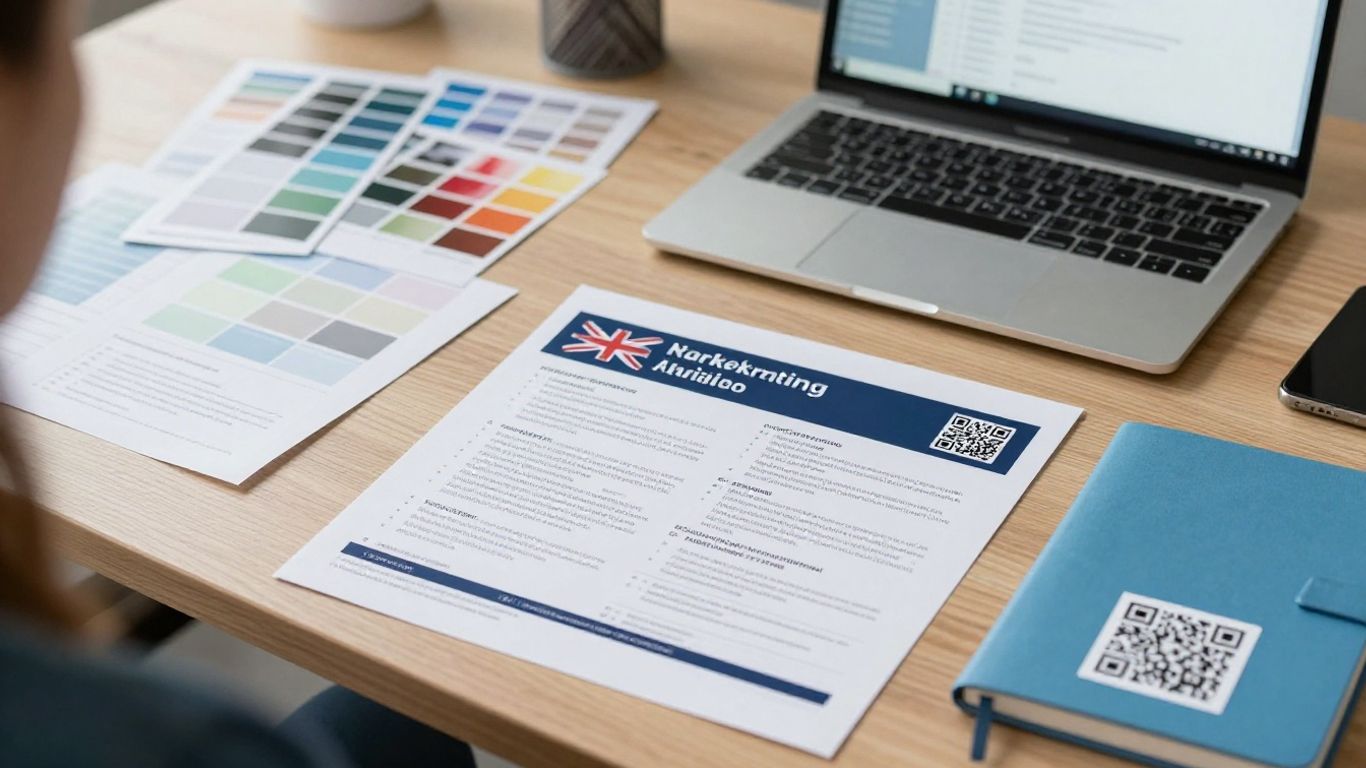
Write the content in plain text before opening a design file. This makes it easier to remove repetition and identify missing details before visual styling takes over. Business flyers should answer the reader’s basic questions quickly: what is this, why does it matter and what should I do now?
Keep the printed message useful on its own, then use QR code stickers to offer a next layer of information. That might be a live campaign page, a downloadable document, digital instructions or a contact form. The same thinking applies when QR labels are used on equipment: the code should lead to a maintained destination, not a page that was forgotten after launch.
Write a concise headline and supporting message
The headline should state the outcome or problem in language the audience recognises. Follow it with one or two sentences that add context without repeating the headline. Draft several alternatives, then choose the version that remains clear when read quickly from a short distance.
Do not make the QR code the headline. QR code stickers are a route to information, not a benefit by themselves. Explain what the reader will find after scanning, such as current specifications, safety instructions or a booking form.
Present the main benefits clearly
Turn features into consequences for the reader. Faster access to instructions may reduce time spent searching; a clear quotation route may shorten the buying process; a well-organised asset record may make routine checks easier to document. Keep the benefit list short enough to scan without losing the supporting detail.
A simple content plan helps separate the essential from the optional. For example, a flyer for a facilities audience might include:
- The operational problem being addressed.
- Two or three practical benefits.
- The service area or eligibility details.
- A scan, call or email action.
That structure leaves room for QR code stickers to connect the printed explanation with fuller digital guidance. It also gives a designer a clear hierarchy to work with rather than a crowded block of copy.
Include essential business details
Add the organisation name, relevant contact method, website or landing page, location and any conditions that affect the offer. Include a postcode or service area where local availability matters. Check phone numbers, email addresses and dates against the source information before approving the artwork.
If the flyer links to an asset, compliance or safety resource, make ownership clear. A printed label can identify the item while QR code stickers direct the user to its current instructions, but the destination still needs a responsible team and a review process.
Create a direct call to action
Use a verb that tells the reader exactly what to do: request a quote, book a visit, check availability, download the instructions or scan for the current guide. Place the action near the relevant contact details, and repeat it only when the format is long enough to justify repetition.
A QR code needs an instruction beside it, not just an empty square. “Scan for the latest equipment instructions” is more useful than “Scan here”, because it sets an expectation and gives the reader a reason to use QR code stickers.
Design business flyers for fast understanding
Design is a prioritisation exercise. A reader may give a flyer only a few seconds before deciding whether it deserves attention, so the first view must communicate the subject and benefit. Use QR code stickers as part of the information flow, while keeping the main promise visible without a scan.
Good layout is not about filling every available space. It is about guiding the eye from the headline to the supporting proof and then to the action. The same standards apply to a marketing flyer, an asset identification card or a compliance handout.
Establish a clear visual hierarchy
Give the headline the strongest position and size, then arrange benefits, evidence and contact details in descending order of importance. Use alignment and consistent spacing to show which elements belong together. A QR code should sit near the instruction or action it supports, rather than being isolated in a decorative corner.
You can compare the proposed layout with practical advice on print-ready label design when the flyer forms part of a wider labelling workflow. This is especially helpful if the same artwork system will later be adapted for sequential QR code stickers.
Use brand colours and readable typography
Choose colours that support recognition without reducing contrast. Keep body text large enough for the expected viewing distance, and use a restrained number of type styles. Dark foregrounds on light backgrounds are generally a safer choice for QR codes than pale modules, gradients or busy photographic backgrounds.
Brand consistency should make the flyer feel familiar, not make it harder to read. Leave the clear margin around QR code stickers free from nearby text and decoration, and test any logo treatment at the final printed size.
Select images that support the message
Use a photograph or illustration that shows the service, setting or outcome described in the copy. Avoid generic imagery that creates a promise the flyer cannot support. For asset or compliance work, a clear image of labelled equipment may communicate context better than a posed business scene.
Images should have enough contrast behind the type and should not compete with the QR code. If a visual is doing no explanatory work, remove it and give the message more room.
Leave enough space around key information
White space gives the eye places to pause and helps readers find the next step. Protect the headline, contact details and QR code from crowded edges, borders and decorative patterns. This is also where a print proof can expose problems that are easy to miss on a screen.
QR code stickers need a quiet zone around the code so cameras can detect it reliably. The margin should remain clear even when the flyer includes promotional copy, partner logos or a background image.
Check accessibility and print readability
Read the flyer on a phone, print it at its intended size and view it under the lighting conditions in which it will be distributed. Check colour contrast, type size, plain-English wording and whether key information remains understandable without relying on colour alone.
Scan the code using more than one device before approving a run. If the flyer is likely to be handled outdoors or alongside equipment, ask whether QR code stickers or another durable label format would better suit the environment.
Use QR codes to connect flyers with live information
A QR code gives a printed flyer a second layer, but the digital destination must be focused and maintained. It can link a prospect to a form or campaign page, or connect an asset to live instructions, inspection information or compliance records. QR code stickers make the same physical-to-digital pattern useful beyond short-lived promotion.
For UK organisations, this is relevant to facilities teams, housing providers, sign companies and print resellers. The source material names NHS, TfL and Screwfix in its positioning, while durable printed labels can also support asset IDs, safety checks and equipment guidance in less public settings.
Choose between static and dynamic QR codes
A static code is fixed after printing. A dynamic code can be redirected through its management platform, so the destination can change without replacing the printed item. Choose the simpler option when the URL will remain stable; choose a dynamic route when a campaign, manual or compliance page may need updating.
For a flyer with a short campaign life, static may be adequate. For durable QR code stickers attached to equipment or signage, the ability to update a destination can avoid unnecessary reprints and help teams keep information current.
Link to a focused landing page or campaign hub
Send the scan to a mobile-friendly page that continues the promise made on the flyer. Remove unnecessary navigation, make the primary action obvious and check that the page loads quickly over a normal mobile connection. A campaign hub is sensible only when several related actions genuinely belong together.
The destination should have an owner and a review date. This matters for marketing pages, but it matters even more when a label links to operating instructions or compliance information that people may rely on later.
Place the code where it is easy to scan
Keep the code large enough for the expected distance and avoid placing it across folds, curves or reflective surfaces. A common rule of thumb is that the minimum code size is roughly the scan distance divided by ten, although the final design should be tested in context.
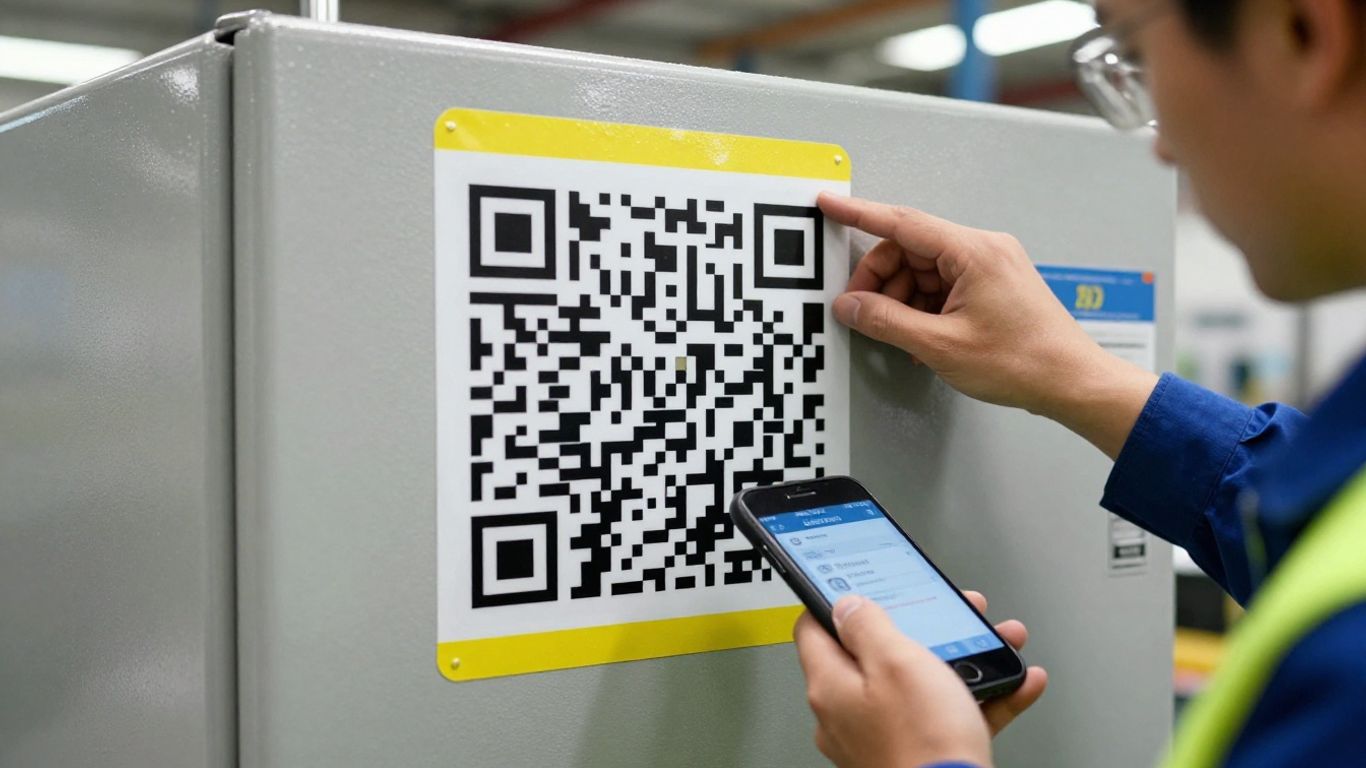
On a flyer, arm’s-length placement is usually more practical than making the code tiny to preserve space. On equipment, durable QR code stickers should sit on a clean, accessible surface where a user can hold a phone steady.
Add a clear instruction beside the code
Tell people what scanning will give them and, where useful, how long it will take. “Scan for the current service guide” or “Scan to request a quotation” gives a stronger reason to act than a code without explanation. Make the instruction large enough to read beside the code.
The printed message should also reassure the reader that the scan leads to a relevant page. That small piece of context can be the difference between a code being noticed and being used.
Test the full journey before printing
Scan the final artwork from a proof, then test it on iOS and Android in indoor and outdoor light. Follow the link all the way through the page, form or document, and check that every button works. If the destination is dynamic, verify that a change made in the management system reaches the printed code as expected.
A test should include the real material and viewing angle where possible. This catches contrast, glare, sizing and loading issues before a whole batch of QR code stickers or flyers is produced.
Select the right printing specifications
Print decisions affect how a flyer feels, how long it survives and how much information it can carry. Start with the distribution conditions and campaign duration, then choose the size, stock and finish. The same practical approach helps when buying QR code stickers for indoor assets, outdoor signage or high-touch equipment.
For a useful comparison of paper, formats and ordering considerations, see this guide to UK business printing. It is better to specify the use first and select the material second than to choose a finish simply because it looks impressive on screen.
Choose a suitable flyer size and paper stock
A standard size is usually easier to store, distribute and price, while a custom format can suit a particular display or mailing requirement. Choose lighter paper for large handouts and heavier stock when the flyer must feel substantial or survive repeated handling. Recycled, uncoated, silk and gloss stocks each create a different reading experience.
QR code stickers are a separate material decision. Paper may suit a short indoor campaign, while vinyl or self-adhesive materials are more appropriate where labels face handling, weather or external use.
Decide between single-sided and double-sided printing
Single-sided printing keeps the message simple and is useful when the reverse side will be blank or used for notes. Double-sided printing creates space for terms, a map, supporting information or a secondary audience, but it should not become an excuse to add every available detail.
If the reverse side contains a second QR code, label each action clearly. Readers should know which code opens instructions, which starts an enquiry and which provides campaign information.
Compare finishes for durability and appearance
Matte finishes can reduce reflections in bright environments, while gloss can give colours a sharper appearance but may create glare. Lamination can help a flyer withstand handling, although it adds cost and may not be needed for a short run. Match the finish to the route from printer to reader.
For labels placed outdoors or on frequently handled assets, QR code stickers may need durable vinyl, laminate or a specialist adhesive. Ask for a sample where adhesion, abrasion or scan quality is critical.
Prepare artwork in a print-ready format
Supply artwork at the required dimensions with suitable bleed, embedded fonts and images at an appropriate resolution. Vector artwork such as SVG, EPS or PDF keeps QR edges crisp at different sizes; if raster artwork is unavoidable, use at least 300 DPI. Keep the quiet zone clear and do not let trim marks intrude into the code.
Proof the entire piece, not only the QR code. Check spelling, phone numbers, dates, colours, margins and the page opened by the scan. A clean file reduces delays for both flyers and sequential QR code stickers.
Order the right quantity for the campaign
Estimate distribution by location, route and expected wastage, then add a modest reserve for replacements or late opportunities. A large run can lower the unit cost, but over-ordering a dated offer can leave you with unusable stock. For variable or sequential labels, confirm numbering and data before production.
A staged print run is sensible when the headline, offer or destination is still being tested. It lets you learn from the first batch before committing the full budget.
Distribute and measure business flyers effectively
Distribution is part of the campaign, not an afterthought. Record where each version goes, who receives it and when it is available, then make response tracking fit the action you asked for. QR code stickers can provide scan activity for printed campaigns, while durable sequential labels can help identify individual assets or locations.
The measurement method should be proportionate. A local print reseller may need a simple code by area, whereas a facilities or compliance team may need a record by asset, site and inspection route. Keep personal data collection lawful, explain consent where relevant and retain only what the process needs.
Select high-value locations and delivery channels
Choose places where the intended audience already has a reason to pause or decide. A trade counter, site office, property viewing, professional event or equipment room may be more relevant than a high-footfall location with no connection to the offer. Match the route to the buying stage.
QR code stickers can extend the life of a flyer displayed near an asset or service point. Place them where people can scan without obstructing work, creating a hazard or damaging the equipment surface.
Use unique URLs, QR codes or promotional codes
Give each location, distribution partner or creative version its own identifier when you need to compare performance. Unique QR code stickers can identify an asset, batch or site; campaign URLs and promotional codes can provide a simpler alternative for a short marketing test.
Make the tracking structure understandable to the team using it. A code that cannot be matched confidently to a place or version creates more administration than insight.
Track responses by area, version or campaign
Review scans, visits, calls, form completions and qualified enquiries against the number distributed. Separate exposure from response: a scan indicates interest, while a completed action indicates stronger progress. For a digital reporting workflow, this practical guide to SEO reporting metrics offers a useful reminder to connect activity with business outcomes rather than reporting volume alone.
Other linked resources can be assessed in the same way, including an outsourced sales team, local marketing strategy, business sale planning or an AI visibility checklist where those activities form part of the wider campaign. These links are most useful when they support an existing measurement plan, not when they distract from the flyer’s objective.
Test different headlines and calls to action
Change one meaningful variable at a time, such as the headline, offer, image or call to action. Keep the audience, distribution window and destination as consistent as practical. This makes it easier to understand whether the creative change affected response.
For local teams, a two-version test across nearby sites can be enough to reveal a useful pattern. QR code stickers should also be tested for scanability, not judged only by how they appear in the artwork.
Review results and improve the next print run
After the campaign, record what happened by location and version, including distribution issues and comments from staff. Keep the strongest message, remove content that was ignored and fix any weak destination pages. If a code is dynamic, update the destination when the campaign changes rather than reprinting unnecessarily.
The next run should reflect evidence, not preference. For teams supplying labels to clients, a short review can also improve specifications for sequential numbering, material choice, placement and future custom-printed QR code stickers.
Conclusion
Effective business flyers begin with a clear audience and one useful action, then bring together concise copy, readable design, suitable print specifications and measured distribution. QR code stickers add value when they connect a physical message, asset or sign to information that is relevant and maintained. For practical advice on materials, readability and a fast UK turnaround, request a QR quote and discuss the intended surface, scan distance and campaign workflow before ordering.
Frequently Asked Questions
What makes a business flyer effective?
An effective flyer has one clear audience, one main objective, a concise benefit and a direct call to action. It should remain understandable even if the reader does not scan a code.
How much text should a flyer contain?
Use only the information needed to explain the offer and support the next action. Move detailed specifications, instructions or background information to a focused mobile page when appropriate.
Should a flyer be printed on one or both sides?
Single-sided printing suits short, focused messages. Double-sided printing is useful when the extra space serves a clear purpose, such as terms, a map, supporting evidence or a second stage of information.
What size should a QR code be on a flyer?
The right size depends on viewing distance, print quality and the surrounding design. Print a proof at final size and test it from the distance at which readers are expected to scan.
What should a QR code link to?
It should open a mobile-friendly page that matches the printed promise. Suitable destinations include a booking form, quotation page, current instructions, product information or campaign hub.
How can flyer responses be measured?
Use distinct URLs, QR codes, promotional codes or contact routes for different locations and versions. Compare scans and visits with completed actions such as enquiries, bookings or downloads.
How often should a flyer campaign be reviewed?
Review results after enough time has passed for the distribution method to generate responses, then compare versions and locations. Use the findings to refine the headline, offer, destination and print quantity for the next run.