

Right then, let’s talk about label designing software for 2026. It feels like just yesterday we were wrestling with clunky programmes, but things have moved on a fair bit. If you’re looking to get your labels sorted, whether for products, assets, or whatever else, you need software that actually makes the job easier, not harder. We’ve had a look at what’s out there and what’s coming, and here are the top features you’ll want to keep an eye on. Think of this as your quick guide to picking the best label designing software for your needs.
Key Takeaways
- Make sure your artwork has enough contrast and a clear space around it so scanners can read it easily. This is super important for QR codes and barcodes.
- You’ll want software that can handle different types of codes, like QR codes for phones and barcodes for older systems. Also, think about whether you need static links (they don’t change) or dynamic ones (you can update them later).
- Being able to pull in data from things like Excel or CSV files is a big time-saver. This lets you easily create loads of labels with different info, like product names or serial numbers.
- The software should let you add your own branding, like logos and colours, without messing up the scannability of the codes. It’s all about looking professional.
- If you need to print a lot of labels, look for software that’s built for bulk jobs. This means it can handle large data merges and produce them quickly without issues.
1. High Contrast Artwork
When you’re designing labels, especially those with QR codes, making sure the artwork has really good contrast is super important. It’s not just about looking nice; it’s about making sure scanners can read the code quickly and accurately, every single time. Think about it – if the colours are too similar, or if there’s a lot of glare, a scanner might struggle. This can cause delays or even stop a process altogether. For example, many UK businesses use QR code stickers on their equipment to link directly to digital maintenance manuals or safety data sheets. If the QR code isn’t clear, a technician might not be able to access vital information when they need it most.
The key is to ensure there’s a significant difference between the dark elements (the modules) and the light background. This contrast is what allows the scanner to distinguish the pattern. Gradients can sometimes look good, but they can also mess with the contrast if not handled carefully. It’s better to stick to solid, clear colours where possible. For instance, a construction firm might use durable, high-tack labels with QR codes on their tools to track usage and maintenance schedules. If the QR code is hard to read due to poor contrast, that tracking system falls apart.
Here are a few things to keep in mind for high-contrast artwork:
- Colour Choice: Opt for dark colours on light backgrounds. Black on white is the classic for a reason, but other strong combinations can work too, as long as the difference is stark.
- Avoid Busy Backgrounds: Don’t place the QR code over a complex image or pattern that might interfere with its readability. A clear space around the code, known as the quiet zone, is also vital.
- Finishes Matter: Sometimes, the finish of the label can affect how well a QR code scans. A matte or satin finish can reduce glare compared to a high-gloss one, which is especially helpful under bright shop or warehouse lighting. This is something companies like those in logistics often consider for their inventory labels.
Using a matte laminate on your labels can make a big difference in scan reliability, especially in environments with varied or strong lighting conditions. It helps to diffuse reflections that can confuse scanner cameras.
For many UK organisations, like those managing large fleets of vehicles or complex machinery, reliable asset tracking is a must. Using QR code stickers that link to digital records means they can quickly prove compliance or access repair histories. This relies heavily on the artwork being perfectly clear. If you’re looking to create professional-looking labels that scan first time, understanding these design principles is a great starting point for creating professional-looking labels.
2. Quiet Zone Preservation
When you’re designing labels, especially those with QR codes, you need to think about the ‘quiet zone’. This is basically the blank space that surrounds the QR code itself. It’s not just for looks; it’s really important for scanners to be able to read the code properly. Think of it like giving the scanner a clear view, without any distractions.
Without a sufficient quiet zone, scanners can struggle to distinguish the QR code from its surroundings, leading to failed scans and frustration. This is a common pitfall, even with good artwork. For instance, organisations like Network Rail use QR code stickers on trackside equipment. These labels need to be scanned quickly and accurately by engineers to log maintenance checks or report issues. If the quiet zone is too small, a scanner might pick up nearby text or graphics, causing an error. Similarly, many UK facilities management companies use durable QR code stickers on assets like fire extinguishers or HVAC units. These labels link directly to digital maintenance logs or safety instructions. A clear quiet zone ensures that maintenance staff, often working in busy or poorly lit environments, can scan the code reliably with their handheld devices.
Here’s a quick guide to what makes a good quiet zone:
- Size Matters: The general rule of thumb is that the quiet zone should be at least 10 times the width of the narrowest bar (or module) in the QR code. This gives the scanner enough clear space to work with. This blank space is crucial for accurate data capture.
- Contrast is Key: While not strictly part of the quiet zone, high contrast between the QR code and its background is vital. This helps the scanner identify the code’s edges in the first place, making the quiet zone even more effective.
- Avoid Clutter: Don’t place text, logos, or other design elements too close to the QR code. Even if they’re outside the strict quiet zone, they can still interfere with scanning if they’re too close or visually distracting.
Ensuring adequate quiet zones isn’t just a technical requirement; it’s a practical one that directly impacts the usability and reliability of your QR code labels in real-world scenarios. It’s a small detail that makes a big difference in how smoothly your operations run.
3. Static Vs Dynamic Links
The way your QR code stickers work hinges on the decision between static and dynamic links. A static QR code points to a fixed destination—once printed, the link is set in stone. These are fine for permanent information, like asset serial numbers, product specification pages, or health and safety documents that never change. However, if you need to adapt content, update instructions, or track how and where your QR code stickers are being used, dynamic QR codes are the smarter solution.
Dynamic QR codes are managed through a redirection platform. This means when a user scans the QR code sticker, they’re sent to a link which you can update at any point—no need to reprint. This flexibility is invaluable, particularly for organisations that must prove ongoing compliance, change processes, or add new documentation. For example, several local councils across the UK now use dynamic QR code stickers with high‑tack adhesives in plant rooms; the link brings up the current service log or risk assessment, which can be refreshed after each inspection.
Here’s a brief comparison:
| Static QR Code | Dynamic QR Code | |
|---|---|---|
| Edit after printing | No | Yes |
| Track scan data | No | Yes |
| Use for asset tracking | Okay for fixed info | Ideal – supports updates |
| Cost to update links | Requires reprint | Done in dashboard |
| Good for | Manuals, serials, signage | Compliance, training, events |
Many asset-heavy organisations, including NHS Trusts and FM contractors, rely on dynamic QR code stickers for plant and machinery. If a compliance process changes or digital instructions are updated, the QR code sticker still works—no need for new labels in hard‑to‑reach plant rooms. All it takes is a quick change in the dashboard, and technicians on-site access the latest data instantly, even in awkward locations where re-labelling is hard.
- Static QR code stickers suit permanent URLs and rarely-changing files.
- Dynamic QR code stickers let you update destinations, see scan histories, and adapt to process changes or audits.
- Both can be printed on durable, high-tack materials for harsh sites.
For any scenario where information or tracking needs might shift over time—compliance logs, maintenance schedules or digital user guides—dynamic QR code stickers save you both money and hassle, removing the need for costly reprints.
If your project demands flexibility, especially in fields like asset tracking or compliance, make dynamic links a requirement in your label design process. For more on the advantages and how they work, see flexible, updateable QR codes.
4. Variable Data Merges
When you need labels that aren’t all the same, variable data merges are your best friend. This is where each QR code sticker can hold unique information, making them super useful for all sorts of things.
Think about it: instead of every sticker linking to the same webpage, each one can point to something different. This is brilliant for things like:
- Asset tracking: UK companies use these to log equipment. Each item gets a unique QR code sticker that links to its service history or current location. This helps keep tabs on everything, from tools on a building site to medical devices in a hospital.
- Compliance and safety: Imagine a factory floor. Each machine could have a QR code sticker linking to its specific safety manual or maintenance log. This means the right information is always at hand, exactly where it’s needed.
- Personalised customer experiences: A retailer might use variable data QR codes on product packaging to link customers to specific warranty information, user guides, or even personalised thank-you messages. It makes the customer feel more valued.
The real magic happens when you can feed your design software a list of data, like from an Excel spreadsheet, and it automatically generates all those unique QR codes for you. This saves a massive amount of time and reduces the chance of errors. For example, a fire safety company might use this to assign a unique ID and link to maintenance records for every single fire door across multiple sites. They can provide a spreadsheet with bespoke prefixes and numerical sequencing, and the software handles the rest, creating individual QR codes for each door. This means an engineer scanning a QR code sticker can instantly see the specific door’s service history.
It’s not just about the data inside the QR code, though. The physical label matters too. Using durable, high-tack labels means they’ll stick properly, even on challenging surfaces, and last a long time. This is especially important for asset tracking where labels might get knocked about. You can get these labels with clear overlaminates for extra protection against wear and tear, making sure the QR code remains scannable for years to come. This level of detail helps ensure that your variable data printing solution works reliably in the real world.
5. Csv Excel Integration
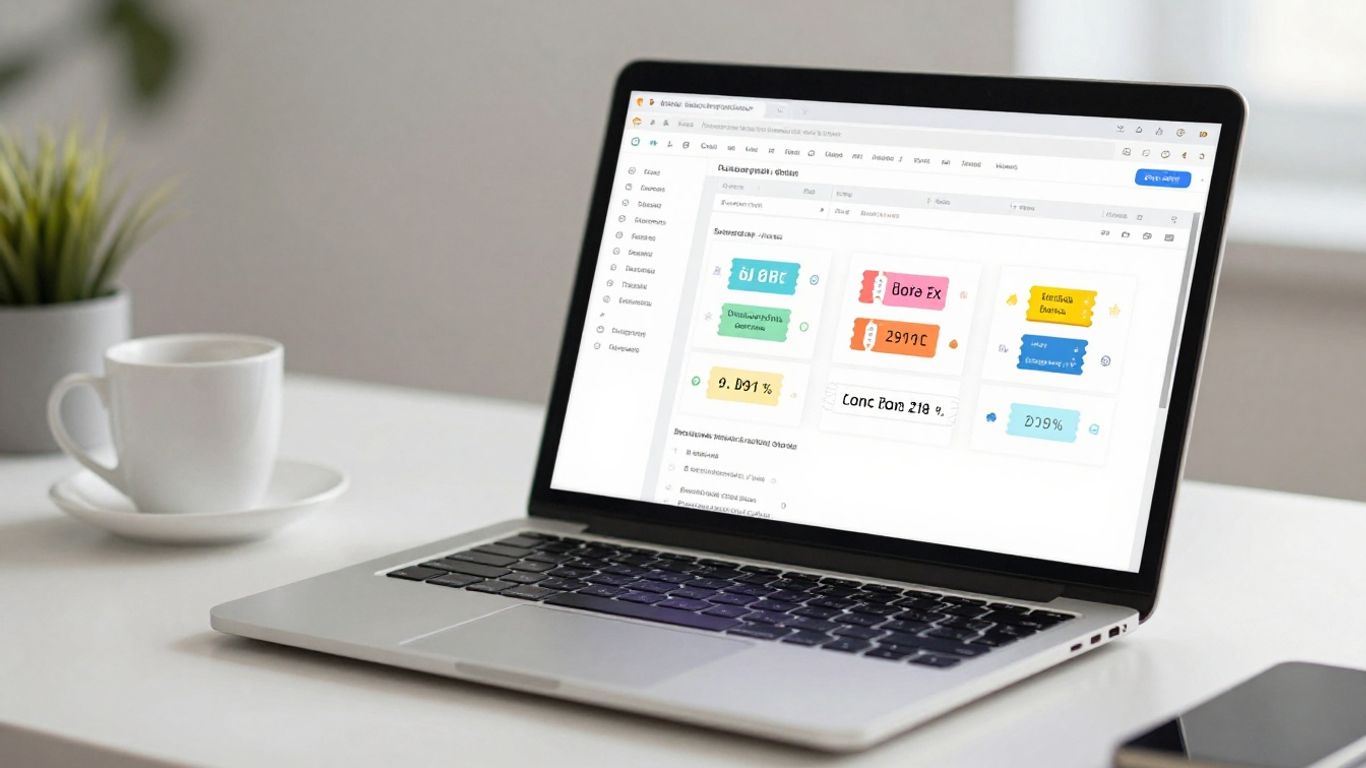
When you’re dealing with a lot of labels, especially for things like inventory or product tracking, manually entering data for each one just isn’t practical. This is where CSV and Excel integration becomes a real lifesaver. Most decent label design software will let you import data directly from these common spreadsheet formats. This means you can set up all your product names, SKUs, serial numbers, or even URLs in one place, and then the software pulls that information to create unique labels automatically.
Think about a warehouse needing to label thousands of different items. Instead of typing each item’s ID and location onto a label design one by one, they can create a spreadsheet. This spreadsheet might have columns for ‘Item Name’, ‘SKU’, ‘Location’, and ‘QR Code Destination URL’. The label software then reads this file, and for each row, it generates a label with the correct information and a QR code pointing to the specified URL. This saves an enormous amount of time and massively cuts down on errors. For example, many UK businesses use this for tracking assets. A construction firm might use durable, high-tack labels with QR codes on their tools, linking to digital maintenance logs. Similarly, a logistics company could use them on pallets, with each QR code sticker linking to shipment details.
Here’s a quick look at how it typically works:
- Prepare your data: Create a spreadsheet (CSV or Excel) with clear column headers.
- Map your fields: In the label software, tell it which column corresponds to which part of your label design (e.g., ‘SKU’ column goes into the SKU text field).
- Generate labels: The software creates all your labels, often including generating QR codes based on the data provided.
- Print: You can then print these labels directly.
This kind of integration is pretty standard now, and it’s a big reason why tools like LabelLIVE are so popular. They make it easy to connect your existing data sources to your label printing process, which is a huge step up from manual entry. It’s not just about saving time; it’s about accuracy and consistency, especially when you need to ensure every QR code sticker is perfect for its intended use, whether that’s for asset tracking or linking equipment to digital instructions.
6. Multiple Code Types
When you’re designing labels, it’s not just about how they look; it’s also about how they work. Different situations call for different types of scannable codes. For instance, QR codes are brilliant for linking to websites or digital instructions, making them perfect for consumer-facing products or asset management where a quick mobile scan is needed. Think of UK businesses using QR code stickers on equipment to link directly to maintenance manuals or safety data sheets. It’s a simple way to keep information accessible.
However, for smaller items or where space is really tight, a Data Matrix code might be a better fit. These are more compact and often used in manufacturing for tracking individual components. Then there’s the classic Code-128, which is still widely used in inventory systems and for compatibility with older scanners. Having label design software that supports a variety of these codes means you’re not limited by your technology. This flexibility is key, especially when you need to integrate with existing systems like CMMS or ERP. For example, many UK warehouses use durable, high-tack labels with Data Matrix codes for precise inventory tracking, ensuring every item is accounted for.
The choice of code type depends heavily on the application. While QR codes are ubiquitous for general information sharing, Data Matrix excels in confined spaces, and traditional barcodes remain vital for many industrial systems. Selecting software that accommodates all these options provides a robust foundation for your labeling strategy.
It’s also worth noting that some codes can be dynamic, meaning the link they point to can be updated even after the label is printed. This is incredibly useful for marketing campaigns or for updating compliance information without needing to reprint everything. Many UK organisations are now using these dynamic QR code stickers to keep their asset information current, proving compliance or linking equipment to the latest digital instructions. This adaptability, combined with durable, high-tack labels, offers a long-term solution for tracking and information management.
7. Brandable Design
When you’re designing labels, especially those with QR codes, making them look like they belong to your brand is a big deal. It’s not just about slapping a logo on there; it’s about creating a cohesive look that people recognise. Think about how a familiar logo on a QR code sticker can instantly build trust. For example, many UK businesses use QR code stickers on their equipment to link directly to digital manuals or maintenance logs. This not only looks professional but also makes it easier for staff to access information quickly.
The goal is to make the QR code sticker an extension of your brand identity, not just a functional element. This means considering colours, shapes, and how your logo integrates. Some software allows you to add your logo right in the centre of the QR code, which is pretty neat. Of course, this needs to be done carefully so the code still scans properly. Most QR code generators will use a high error-correction level, like ‘H’, to make sure your logo doesn’t mess things up.
Here’s a quick rundown of what to look for:
- Logo Integration: Can you easily place your logo within the QR code? Look for software that supports this with high error correction.
- Colour Matching: Does the software let you pick brand colours for the QR code itself, or for elements around it?
- Quiet Zone Management: Ensure the design tools help you maintain that essential clear space around the QR code, which is vital for scanning.
- Custom Shapes/Eyes: Some advanced options let you tweak the ‘eyes’ of the QR code or even its overall shape, as long as it remains scannable.
It’s worth noting that while customisation is great, the primary function of a QR code is to be scanned. So, while you want it to look good and represent your brand, it absolutely must work. For instance, a construction firm might use durable, high-tack labels with their logo on site equipment, linking to safety datasheets. The label needs to survive the elements, but also clearly show who it belongs to.
Making your QR code stickers look like they’re part of your brand is more than just aesthetics; it’s about recognition and trust. When done right, it reinforces your company’s image and makes the QR code a more integrated part of your product or asset.
When choosing label design software, check if it offers previews or test scans. This way, you can be sure your branded design is also a functional one. You can find online label design tools that offer these features, helping you create professional-looking labels that align with your brand guidelines.
8. Bulk Friendly Production
When you’ve got a lot of labels to get through, the software needs to keep up. It’s not just about printing one label at a time; you need to be able to handle large runs efficiently. This means the software should easily handle importing data from spreadsheets, like CSV or Excel files, so you can generate hundreds, or even thousands, of unique QR code stickers without a fuss. Think about organisations like large manufacturing plants or logistics companies in the UK; they often need to label thousands of items or assets. They might use QR code stickers to track inventory moving through their warehouses, or to link machinery to its maintenance logs. The ability to merge data from a spreadsheet directly onto the labels is a real time-saver here.
The key is scalability – can your software handle your current needs and grow with your business?
Here’s what to look for:
- Data Import: Support for common file formats like CSV and Excel is a must. This allows you to input all the necessary information – product IDs, serial numbers, locations – in one go.
- Variable Data Printing: This feature lets each label have unique information, like individual serial numbers or specific URLs, all generated from your data source. It’s essential for tracking individual assets or running personalised campaigns.
- Batch Generation: The software should allow you to generate large batches of labels at once, rather than one by one. This speeds up the entire process significantly.
- Proofing and Testing: Before committing to a huge print run, you need to be able to generate a proof. Ideally, the software should allow you to test the scannability of these proofs, perhaps by generating a few sample QR code stickers to check on your phone.
For businesses dealing with large volumes, like a national distribution centre needing to label pallets or a facilities management company tracking hundreds of pieces of equipment across multiple sites, the efficiency gains from bulk-friendly production are substantial. Using durable, high-tack labels ensures these QR code stickers stay put and remain scannable, even in demanding environments. This is crucial for maintaining accurate asset tracking and proving compliance, where a missed scan could lead to significant operational issues.
Consider how a company managing a fleet of vehicles might use QR code stickers on each one. By scanning the code, drivers or maintenance staff could access vehicle history, log mileage, or report issues. The label design software needs to support generating a unique QR code sticker for every single vehicle, pulling data from a fleet management spreadsheet. This makes tracking and maintenance much more straightforward. For such applications, ensuring the labels themselves are robust, perhaps using industrial-grade materials with high-tack adhesives, is just as important as the software’s ability to produce them in bulk. This ensures the QR code stickers remain functional throughout the asset’s lifecycle.
9. Industrial Grade Materials
When you’re designing labels, especially those that need to stand up to the rigours of an industrial environment, the material choice is absolutely key. It’s not just about how the label looks; it’s about how it performs over time, under pressure, and in less-than-ideal conditions. Think about a factory floor, a busy warehouse, or even outdoor equipment – these environments can be tough on printed materials. You need something that won’t peel, fade, or become unreadable after a few months.
The right industrial-grade materials ensure your QR code stickers remain scannable and informative, no matter the conditions. This is where options like durable vinyl or robust PET come into play. These aren’t your average paper labels; they’re designed to resist moisture, chemicals, UV exposure, and general wear and tear. For instance, many UK organisations in manufacturing and logistics rely on these tough labels for asset tracking. Companies use them on machinery, tools, and inventory bins to quickly identify items and access digital maintenance logs or stock information. Even in places like construction sites or outdoor storage facilities, these labels can withstand the elements, proving their worth time and time again.
Consider the following material properties:
- Weather Resistance: Essential for anything exposed to the outdoors, protecting against rain, sun, and temperature fluctuations. Many UK businesses use these for tracking external plant equipment or site signage.
- Chemical Resistance: Crucial in environments where cleaning agents, oils, or solvents are common. Think food processing plants or automotive workshops where labels need to survive regular washdowns.
- Abrasion Resistance: Important for high-traffic areas or items that get handled frequently, like tools or equipment controls. A protective laminate can significantly extend the life of the print.
The longevity of your QR code stickers is directly tied to the quality of the materials used. Investing in industrial-grade options means fewer replacements and more reliable data capture over the long term, which is vital for efficient operations and compliance.
When selecting your label design software, look for options that allow you to specify or integrate with suppliers offering these robust material choices. This ensures that the digital design translates into a physical product that meets the demands of your specific working environment. For example, a high-tack adhesive is often paired with industrial vinyl to ensure the QR code sticker stays firmly attached to textured or powder-coated surfaces, common on machinery. This combination is frequently seen in facilities management for tracking everything from HVAC units to fire safety equipment, proving compliance and linking directly to digital inspection reports.
10. Adhesive Options
Selecting the right adhesive is more than a technical detail—it’s the difference between a QR code sticker that does its job reliably for years and one that drifts away after a few weeks. For UK organisations that rely on QR code stickers to manage assets, demonstrate compliance or provide up-to-date instructions, getting the adhesive right is key.
Real-world stories highlight this: Many NHS Trusts use permanent or high-tack QR code stickers on hospital equipment, ensuring compliance checks are just a scan away and nothing falls off under daily cleaning. Facilities teams in logistics and manufacturing often turn to ultra-strong adhesives for tracking plant assets across harsh warehouse floors. Even on construction sites, companies are using high-tack QR stickers to link machinery to servicing guides—it saves downtime and keeps checks traceable.
Here’s a brief comparison of adhesive types used for QR code stickers in these typical scenarios:
| Adhesive Type | Best For | Removal |
|---|---|---|
| Permanent | Long-term asset labelling, compliance, stock | Difficult, may leave residue |
| High-tack | Rough plastics, powder-coated metals | Very strong, hard to remove |
| Ultra low-tack | Temporary event IDs, IT hardware, glass | Peels away cleanly |
Practical considerations for choosing your adhesive:
- Think about the application surface: smooth, rough, textured or low-energy plastics often need a high-tack solution for QR code stickers.
- For removable or temporary asset tracking (like test equipment or short-term event passes), ultra low-tack adhesives guarantee you won’t damage surfaces.
- If long-term, tamper-evident tracking is the goal—for example, for compliance on fire safety gear—a permanent adhesive keeps each QR sticker in place and audit-ready.
No matter the sector, the best outcome comes from matching the sticker’s material, adhesive, and finish to your intended environment. This way, QR code stickers will scan when they’re needed, keep your records straight, and stay attached—be it on a smooth laptop shell or a greasy, painted valve in a plant room.
For smaller businesses and those starting out, Maestro Label Designer can help you test different adhesive and material options for QR code stickers until you find the fit that matches your workflow and working environment perfectly.
Wrapping Up Your Label Design Journey
So, picking the right label design software in 2026 really boils down to what you need it to do for your business. Think about how easily you can get your ideas onto the label, whether it’s simple text or something more complex with graphics. It’s also worth considering how well the software plays with other tools you might already use. Don’t forget to check if it’s easy for your team to learn and use day-to-day. Ultimately, the best software will be the one that makes creating clear, effective labels straightforward, helping you get your message across without any fuss.
Frequently Asked Questions
Are QR code stickers waterproof and suitable for outdoor use?
Yes, most QR code stickers are made from waterproof vinyl or synthetic materials. They are designed to withstand rain, sunlight, and cleaning, making them great for both indoor and outdoor use.
Can I add my company logo to my QR code stickers?
Absolutely. You can add your logo and even choose your brand colours. Just make sure the design keeps the QR code clear and easy to scan. Most suppliers will give you a digital proof before printing.
What’s the difference between static and dynamic QR codes?
Static QR codes always link to the same web page, and you can’t change it later. Dynamic QR codes let you update the link after the stickers have been printed, which is handy for changing campaigns or tracking scans.
Can I print different information on each label in a big order?
Yes, with variable data merges, you can have each label show unique details, like asset numbers or batch codes. Just send your data in a CSV or Excel file, and the software will handle the rest.
What size QR code sticker works best for packaging?
For most packaging, QR codes between 15–25 mm work well. Make sure there’s a clear space (quiet zone) around the code and test scanning from a normal viewing distance before printing a big batch.
Do you offer strong adhesives for rough or plastic surfaces?
Yes, high-tack adhesive options are available for surfaces like textured plastics or metal. These adhesives make sure the stickers stay put, even in tough environments.