

Thinking about using QR codes but not sure if you need dedicated QR code stickers or if standard Avery labels will do the job? You’ve come to the right place. This guide breaks down the differences between QR Code Stickers vs Avery Labels, helping you figure out which is best for your needs, whether it’s for a quick marketing push or a long-term asset tracking solution.
Key Takeaways
Dedicated QR code stickers are built for durability and specific scanning needs, often made from materials like vinyl that can withstand different environments.
Avery labels are more general-purpose and might be suitable for indoor, short-term uses, but may not hold up as well to wear and tear.
The choice depends on your aim: QR code stickers offer more control over material, adhesive, and longevity for reliable scanning, while Avery labels are a simpler option for basic needs.
Consider factors like where the sticker will be placed (indoors, outdoors, on rough surfaces) and how long it needs to last when deciding between the two.
For critical applications or long-term use, investing in proper QR code stickers designed for scanning performance and durability is usually the better bet.
Understanding QR Code Stickers
So, what exactly are these little squares of information? A QR code sticker is essentially a scannable tag that bridges the physical world with the digital one. Think of it as a digital doorway you can stick almost anywhere. When someone points their smartphone camera at it, they’re instantly taken to a website, a social media profile, a special offer, or even just a piece of text with more information. It’s a pretty neat way to connect with people directly from a product, a poster, or even a table at a restaurant.
What Exactly Is A QR Code Sticker?
At its core, a QR code sticker is a two-dimensional barcode. Unlike the linear barcodes you see on products at the supermarket, QR codes can hold a lot more information and can be read both horizontally and vertically. They’re made up of black and white squares arranged in a specific pattern. This pattern is what your phone’s camera decodes to access the linked content. They’re incredibly versatile, and you can find them used for everything from marketing campaigns to inventory tracking. They’ve become even more familiar thanks to things like NHS track and trace, meaning most people know how to use them.
How Do QR Codes Function?
Using a QR code is straightforward. Most modern smartphones have built-in QR code scanning capabilities directly in their camera app, so you don’t even need a special application. You simply open your camera, point it at the QR code, and a notification or banner will pop up on your screen. Tapping this usually takes you straight to the intended destination – be it a website, a video, or contact details. It’s a quick and easy way to share information without people needing to type in long web addresses.
Static Versus Dynamic QR Codes
This is where things get interesting, especially if you’re using QR codes for marketing or information that might change.
Static QR Codes: The information is directly encoded into the QR code itself. Once it’s generated and printed, you can’t change where it leads. If the URL or information changes, you’ll need to print a new QR code. These are great for information that stays the same, like your business address or a link to your main website.
Dynamic QR Codes: These codes contain a short redirecting URL. The actual destination link is stored online and can be updated at any time without needing to reprint the QR code. This is incredibly useful for things like promotional offers that might change weekly, event details, or keeping product information up-to-date. You can even track how many times your dynamic QR code is scanned, giving you valuable insights into your marketing efforts. This flexibility makes them a powerful tool for ongoing engagement.
Feature | Static QR Code | Dynamic QR Code |
|---|---|---|
Destination | Fixed, cannot be changed after printing | Changeable, can be updated anytime |
Content | Directly encoded in the code | Redirects to a URL, content stored online |
Updates | Requires reprinting for changes | No reprinting needed for destination changes |
Tracking | Limited or no tracking capabilities | Allows for scan tracking and analytics |
Use Case | Permanent information (address, website) | Marketing, promotions, frequently updated info |
When you’re thinking about how you’ll use your QR codes, understanding the difference between static and dynamic is key. For most marketing and promotional activities, dynamic QR codes offer far more flexibility and control, allowing you to adapt your campaigns on the fly. This is why they’re often favoured for marketing purposes.
The Versatility of Avery Labels
While dedicated QR code stickers are fantastic for specific marketing tasks, Avery labels offer a broader spectrum of uses that might surprise you. Think of them as the adaptable workhorses of the labelling world. You’ve probably used them for organising files, addressing envelopes, or perhaps even creating custom name tags for an event. Their real strength lies in their sheer customisation and the fact that you can print them yourself, on demand.
What Are Avery Labels Used For?
Avery labels are incredibly versatile. You can use them for:
Product Labelling: Clearly identifying items on shelves or in storage.
Organisation: Labelling folders, boxes, and equipment to keep things tidy.
Mailing: Addressing envelopes and packages efficiently.
Branding: Adding your logo or company details to products or promotional materials.
Information: Providing instructions, warnings, or contact details.
Essentially, if you need to put a label on something, there’s likely an Avery label solution for it. They’re readily available and come in a vast array of shapes, sizes, and materials, making them a go-to for many everyday labelling needs.
Customisation Options for Avery Labels
This is where Avery labels really shine for general use. You’re not limited to pre-printed designs. With Avery products, you can:
Design Your Own: Use Avery’s online design tools or your preferred software to create exactly what you need. You can play with fonts, colours, and layouts to your heart’s content.
Print On-Demand: Need just a few labels? No problem. You can print them yourself at home or in the office whenever the need arises. This is a huge advantage if your needs change frequently or you only require small batches.
Incorporate Graphics: Add your logo, images, or other graphics to make your labels stand out. Just remember to keep contrast high for scannability if you’re adding a QR code.
This level of control means you can tailor labels precisely to your requirements, whether it’s for a personal project or a small business operation. For instance, you could create customised labels for your homemade jam jars or for organising your craft supplies.
When Are Avery Labels The Right Choice?
Avery labels are a solid choice when:
You need flexibility: You want to design and print labels yourself, on demand.
Cost-effectiveness for small runs is key: Printing a few sheets is much cheaper than ordering a large batch of custom stickers.
Durability isn’t the absolute top priority: For indoor, light-use applications, standard Avery labels are perfectly adequate.
You need a wide variety of shapes and sizes: Avery offers an extensive range to fit almost any item.
However, if your project demands extreme durability, weather resistance, or highly specific adhesive properties for challenging surfaces, you might find dedicated QR code stickers offer a more robust solution. But for general-purpose labelling and quick, custom prints, Avery labels are hard to beat.
Key Differences: QR Code Stickers vs Avery Labels
When you’re looking at getting some labels printed, you’ve probably come across both dedicated QR code stickers and the more general-purpose Avery labels. While they might seem similar at first glance, they’re actually designed for pretty different jobs. Think of it like comparing a specialised tool to something more of an all-rounder. You wouldn’t use a hammer to screw in a bolt, right? It’s a bit like that with these labels.
Purpose and Functionality
Dedicated QR code stickers are built with one primary goal: to be scanned. They’re optimised for scannability, often coming with specific material and finish choices that help ensure a quick and reliable scan every time. The whole point is to bridge the physical world with the digital one, whether that’s linking to a website, a social media profile, or a special offer. Avery labels, on the other hand, are much more general. You can print QR codes on them, sure, but they’re also designed for all sorts of other things – name tags, address labels, product information, you name it. Their main function is to provide a surface for printing information, and that information could be a QR code.
Material and Durability
This is where you’ll see a big difference. QR code stickers are often made from more robust materials like vinyl or synthetic papers. They’re frequently designed to withstand a bit more wear and tear, including exposure to moisture, UV light, and general handling. This means they can last longer, especially if you’re planning to use them outdoors or in busy environments. Avery labels are typically made from paper, which is fine for indoor, low-traffic use, but they won’t hold up as well to the elements or constant touching. If you need something that’s going to last on a product that gets handled a lot, or stuck on something outside, a dedicated QR code sticker is usually the better bet.
Feature | Dedicated QR Code Stickers | Avery Labels |
|---|---|---|
Durability | High (vinyl, synthetic, weather/UV resistant options) | Low to Medium (paper, best for indoor use) |
Cost | Can be higher per unit, but better value for specific needs | Lower per unit, but may need frequent replacement |
Scannability | Optimised (contrast, finishes, quiet zones) | Variable (depends on print quality and material) |
Dynamic Updates | Often support dynamic codes for easy content changes | Generally static (content fixed upon printing) |
Customisation and Design Flexibility
While Avery labels offer a lot of flexibility in terms of what you can print on them, dedicated QR code stickers often come with specialised customisation options geared towards QR code performance. This can include things like adding your logo directly into the QR code design while maintaining scannability, or choosing specific finishes like matte to reduce glare. You can also get them in various shapes and sizes, sometimes even with special adhesives for different surfaces. Avery labels are great for general design, but for making sure your QR code works perfectly and looks good doing it, the specialised options on QR code stickers can be really helpful.
When you’re choosing between the two, think about where the label will live and what you want it to do. If it’s a quick, temporary label for an internal document, an Avery label might be fine. But if you want a reliable, long-lasting link to your online presence that can handle a bit of everything, a dedicated QR code sticker is probably the way to go. It’s about matching the tool to the task.
Choosing The Right Material And Adhesive
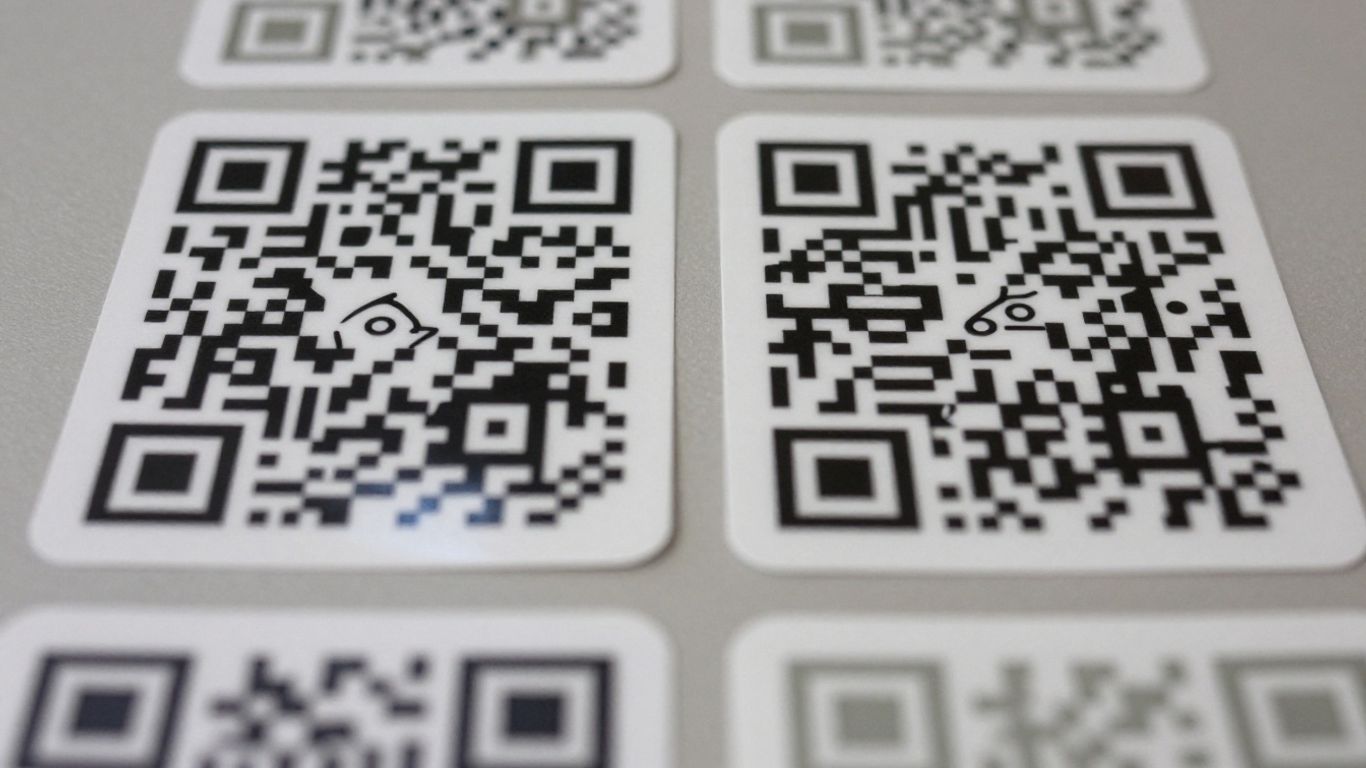
When you’re getting QR code stickers made, picking the right stuff for them to be printed on and what kind of glue to use is pretty important. It’s not just about how they look, but how long they’ll last and if people can actually scan them easily.
Matching Materials to Your Environment
Think about where these stickers are going to live. Are they going on a product that’ll be handled a lot, or stuck on a sign outside that’ll get rained on? For general use, a good quality vinyl is usually a safe bet. It’s tough and can handle a bit of wear and tear. If they’re going somewhere really harsh, like a factory floor or exposed to the elements, you might need something more heavy-duty, like waterproof synthetics or even polycarbonate for industrial settings. For a more subtle look, clear films can work well on glass or packaging, but you’ll want to make sure there’s enough contrast for scanning [01ae].
Understanding Adhesive Options
The glue is just as critical as the material. Do you need the sticker to stay put forever, or do you want to be able to peel it off without leaving a sticky mess? Permanent adhesives are great for asset tracking or compliance labels where you don’t want them moving. High-tack is good for surfaces that aren’t perfectly smooth. If you’re using them for a temporary promotion or need to reposition them, an ultra low-tack or removable adhesive is the way to go. Getting this wrong can mean your QR code sticker ends up falling off or being a nightmare to remove later.
Considering Finishes for Longevity
Finally, think about the finish. A matte laminate can cut down on glare, which is a big help for scannability, especially in bright light. A gloss finish might look shiny, but it can create reflections that make scanning tricky. For stickers that need to last outdoors or withstand cleaning, a UV laminate is a good idea. It adds a layer of protection against fading and abrasion, keeping your QR code looking sharp and scannable for longer [cabc].
Material Type | Durability (Indoors) | Durability (Outdoors) | Cost (Est.) | Scannability Impact | Dynamic Updates Possible |
|---|---|---|---|---|---|
Standard Paper | Low | Very Low | Low | Moderate (Glare) | Yes (with dynamic QR) |
Vinyl | High | High | Medium | High | Yes (with dynamic QR) |
Waterproof Synthetic | Very High | Very High | Medium-High | High | Yes (with dynamic QR) |
Clear Film | High | High | Medium | Moderate (Contrast) | Yes (with dynamic QR) |
Polycarbonate | Very High | Very High | High | High | Yes (with dynamic QR) |
Optimising Scan Performance
Getting your QR code scanned is the whole point, right? It sounds simple, but a few things can make or break that interaction. You want it to be quick, easy, and reliable for anyone trying to scan it. Let’s break down what makes a QR code easy to read.
The Importance of Size, Contrast, and Quiet Zones
Think of the ‘quiet zone’ as the buffer around your QR code. It’s the blank space that tells the scanner where the code begins and ends. Without enough of it, the scanner gets confused. A good rule of thumb is to ensure the quiet zone is at least four modules wide. Similarly, contrast is key. Dark codes on light backgrounds are best. Avoid busy patterns or colours that blend together. The size of the QR code matters too; it needs to be large enough for the scanner to pick up from the intended distance.
Ensuring Readability Indoors and Outdoors
Where you place your QR code sticker makes a big difference. Indoors, you generally have more control over lighting. Outdoors, however, you’re battling sunlight, rain, and temperature changes. For outdoor use, you’ll want durable materials like vinyl or PET with a UV-resistant laminate. Matte finishes are often better than glossy ones in bright sunlight, as they reduce glare. If your code is on a curved surface, like a bottle, this can also distort the image and make it harder to scan. Sometimes, a Data Matrix code might be a better fit for very small or curved items because it’s more robust in those situations.
Tips for Scanning Small QR Codes
Scanning tiny QR codes can be a bit fiddly. If you need to use a small code, keep the amount of data it holds to a minimum. Using a short URL or a dynamic QR code can help keep the code version low and the modules (the little squares) larger and easier to read. Always aim for high contrast and a clear quiet zone, even on small stickers. If you’re printing very small codes, it’s a good idea to get a digital proof first and test it on different phones to make sure it scans reliably before you commit to a large print run. Sometimes, a Data Matrix code is a more suitable option for extremely small applications where a QR code might become too dense to scan accurately.
Advanced Features For QR Code Stickers
Variable Data And Sequential Numbering
When you need to track individual items or provide unique information to each user, variable data and sequential numbering are game-changers for QR code stickers. Think of sequential numbering as a simple, ordered list – 1, 2, 3, and so on. This is brilliant for things like inventory management or asset tracking, where each item needs its own distinct identifier. Variable data takes it a step further; instead of just numbers, you can encode different pieces of information for each sticker, like unique URLs, product codes, or even personalised messages. This level of detail means your QR codes can do more than just link to a website; they can actively participate in your data management and customer engagement strategies. It’s about making each sticker a unique key to specific information.
Integrating Logos And Branding
Want your QR code to look like it belongs to your brand, not just a generic square? You can absolutely weave your logo and brand colours right into the QR code design. Many services allow you to add your logo to the centre of the code, or even adjust the colours to match your palette. The trick here is to maintain a good balance. Too much clutter or a logo that clashes can make the code harder to scan. The goal is to make it instantly recognisable as yours while still being perfectly functional. It’s a neat way to boost brand recognition without sacrificing usability. You can find customisation options for Avery Labels, but for integrated branding on the code itself, dedicated QR code services often shine.
Dynamic Codes For Future Updates
This is where QR code stickers really pull ahead for marketing and long-term use. Unlike static QR codes, which are fixed to a single destination once printed, dynamic QR codes use a redirect system. This means you can change where the QR code points to after it’s been printed. Imagine a promotional sticker on a product. Initially, it might link to a launch campaign page. Months later, you can update that same QR code to link to a new product, a customer feedback form, or even a seasonal offer, all without needing to reprint a single sticker. This flexibility is incredibly powerful for marketing campaigns and keeping information current. It’s a smart way to get more mileage out of your print materials and adapt to changing needs. For more on this, you might want to look into dynamic QR codes.
Making Your Final Decision
When To Opt For Dedicated QR Code Stickers
If your primary goal is marketing, customer engagement, or providing quick access to information that might change, dedicated QR code stickers are usually your best bet. They’re designed for scannability and durability, especially when you opt for materials like vinyl. Think about using them for product packaging, event promotions, or even on business cards. For marketing efforts, the flexibility of dynamic QR codes is a game-changer. You can update the linked content without reprinting the sticker, which saves time and money in the long run. Plus, many services offer customisation options, allowing you to integrate your logo and brand colours for a more professional look. This is where you can really make your QR codes work harder for you.
When Avery Labels Might Suffice
Avery labels are fantastic for general-purpose labelling. If you need to label files, organise shelves, or create simple address labels, they’re a cost-effective and readily available solution. You can print QR codes on them, and for short-term, indoor use where they won’t be exposed to much wear and tear, they might do the job. However, if you’re looking for something robust that will withstand the elements or heavy handling, standard Avery labels often fall short. They’re generally made of paper and lack the protective coatings that make dedicated stickers last longer. For anything beyond basic internal organisation, you’ll likely find yourself needing something more substantial.
Balancing Cost, Functionality, and Durability
When you’re weighing up your options, it really comes down to what you need the QR code to do and where it will live. Here’s a quick rundown:
Feature | Dedicated QR Code Stickers | Avery Labels (Paper-based) |
|---|---|---|
Durability | High (vinyl, waterproof options, laminates) | Low (paper, susceptible to moisture and tearing) |
Cost | Higher initial cost, but better long-term value for marketing | Lower initial cost, but may need frequent reprinting |
Scannability | Excellent (designed for contrast, quiet zones, materials) | Variable (can be good if printed well, but prone to glare) |
Dynamic Updates | Yes (with dynamic QR code services) | No (static codes only, requires reprinting to update) |
If you’re planning a campaign or need a reliable way to link physical items to digital information, investing in proper QR code stickers is the way to go. You get better durability, improved scannability, and the flexibility to update your links later. For everyday office tasks or temporary labelling, Avery labels can be a budget-friendly choice, but they lack the resilience and advanced features that dedicated stickers offer. Think about the lifespan and purpose of your QR code – it’s the best way to decide which option truly fits your needs. For more detailed advice on materials and durability, you can check out custom QR code printing.
Ultimately, the choice hinges on your specific application. For marketing and customer-facing uses where reliability and longevity are key, dedicated QR code stickers are the superior choice. They offer a professional finish and the resilience needed to keep your links active and accessible over time. For internal, low-impact labelling, standard paper labels might suffice, but be prepared for potential limitations in durability and updateability.
So, you’ve reached the part where you need to make your final choice. It’s an important step, but don’t worry, we’re here to help you get it right. Take a moment to think about what you truly need. When you’re ready to make your decision, visit our website to see all the options available.
So, Which Should You Choose?
Ultimately, the choice between QR code stickers and standard Avery labels really boils down to what you need them to do. If you’re just printing a few labels for a quick project, Avery labels might seem straightforward. But if you’re looking for durability, versatility, and the ability to link directly to online content, then QR code stickers are definitely the way to go. They’re built to last, can handle different environments, and offer that instant digital connection that’s so useful these days. Think about where they’ll be used and what information you want people to access – that’ll guide you to the best option for your needs.
Frequently Asked Questions
What's the main difference between a QR code sticker and an Avery label?
Think of it like this: a dedicated QR code sticker is made specifically to hold and display a QR code, often with features for durability and scanning. An Avery label is a more general-purpose sticky tag that you *can* print a QR code onto, but it might not have the same special features for scanning or lasting a long time, especially outdoors. So, while you can use an Avery label for a QR code, a proper QR code sticker is usually built for the job.
Can I put a QR code on any Avery label?
You certainly can! Most Avery labels are printable, so you can design and print a QR code onto them using your computer and printer. Just make sure the label is large enough for the QR code to be scanned easily. Also, consider the label’s material and finish – a glossy label might cause glare, making it tricky for phones to read the code, especially in bright light.
How do I make sure my QR code sticker is easy to scan?
To make sure your QR code sticker scans well, you need good contrast between the dark squares and the light background – think black on white. It also needs a clear border around it, called a ‘quiet zone,’ so the phone’s camera can focus properly. The size matters too; make it big enough to be seen from the distance you expect people to scan it from. Avoid putting it on shiny or bumpy surfaces if possible, as this can also interfere with scanning.
Can I update where my QR code sticker leads after I've printed it?
Yes, you can! This is where ‘dynamic’ QR codes come in handy. Unlike ‘static’ QR codes where the link is fixed once printed, dynamic QR codes use a short redirect link. This means you can change the final destination – the website or page it leads to – even after the sticker is printed, without needing to reprint the code itself. It’s super useful for marketing campaigns or when information might change.
What materials are best for QR code stickers if they'll be used outside?
If your QR code stickers need to survive the weather, you’ll want to choose durable materials like vinyl or special synthetic papers. These are often waterproof and UV-resistant. Adding a clear protective laminate over the top can also give them extra protection against rain, sun, and general wear and tear, helping them last longer and stay scannable.
Do I need a special app to scan QR code stickers?
Generally, no, you don’t need a special app anymore! Most modern smartphones have a QR code scanner built right into their camera app. You just open your camera, point it at the QR code sticker, and a notification should pop up on your screen, usually with a link you can tap to go to the website or information the code directs to.