

Key Takeaways
A well-planned branded label should identify an asset quickly and connect it to the right digital record. The logo matters, but reliable scanning, suitable materials and clean data matter more.
- Give every asset a unique, easy-to-audit identifier.
- Keep the logo separate from the QR code’s quiet zone.
- Choose materials and adhesives for the real working environment.
- Link scans to maintenance, inspection or safety records.
- Test the finished label before ordering at scale.
Why use asset labels with a logo?
Asset labels with logo combine clear ownership cues with practical identification. They help staff recognise equipment across offices, sites, stores and depots, while a QR code or serial number points to the relevant record. The most useful label is one that remains understandable when a phone, scanner or database is not immediately available.
Strengthening identification across teams and sites
A consistent label makes handovers and audits less dependent on local knowledge. An engineer visiting a new site can match the printed ID to an asset register, while a facilities team can distinguish similar items without relying on memory or handwritten notes. A small logo also makes authorised equipment easier to recognise at a glance.
For larger estates, use a naming convention that stays logical across locations. Prefixes such as IT, FD or PLANT can indicate a broad category, followed by a sequential number. Keep the same identifier in the database, on the label and in any inspection paperwork.
Combining brand visibility with practical asset control
Branding should support identification rather than compete with it. Use a restrained logo, a readable asset ID and enough space for the code to scan comfortably. This approach works for company-owned tools, hired equipment, school property and healthcare devices, where a professional appearance can sit alongside straightforward control.
The physical label is only one part of the system. A QR scan can open a record containing ownership, location, warranty or service information, but the label should still show enough human-readable detail for a quick visual check. Clarity at a glance is often more useful than decorative complexity.
Supporting maintenance, inspections and audit trails
A scan can take a technician to an asset page, maintenance history, service form or inspection log. That reduces the need to search by description and helps keep records attached to the correct item. It can also make an audit easier by providing a visible link between the physical asset and its digital evidence.
For organisations working with safety-critical equipment, the label should be part of a defined process: scan the item, confirm its identity, complete the required check and record the result. The same principle applies to fire doors, lifting equipment, vehicles and portable electrical tools.
Choosing between QR codes, barcodes and serial numbers
The best identifier depends on how people work. QR codes suit smartphone-first workflows and can carry a short URL or ID; barcodes remain useful where an existing scanner or stock system requires them. A plain serial number is valuable as a fallback and helps staff verify that the scan has opened the correct record.
| Identifier | Useful for | Main consideration |
|---|---|---|
| QR code | Mobile access to records and forms | Needs adequate size, contrast and quiet zone |
| Barcode | Existing warehouse or asset scanners | May require a dedicated scanning device |
| Serial number | Visual checks and manual searches | Does not itself open a digital record |
| Data Matrix | Small components with limited space | Requires compatible scanning software |
The table is a starting point rather than a fixed rule. Organisations often combine a QR code with human-readable text, while a small component may be better served by a compact Data Matrix symbol; see these compact Data Matrix labels for the space-saving use case.
What information should an asset label include?
An effective label carries only the information needed at the point of use. Long descriptions and full service histories belong in the tracking system, not in the printed code. The label should identify the item, make the scan destination clear and remain legible after handling or cleaning.
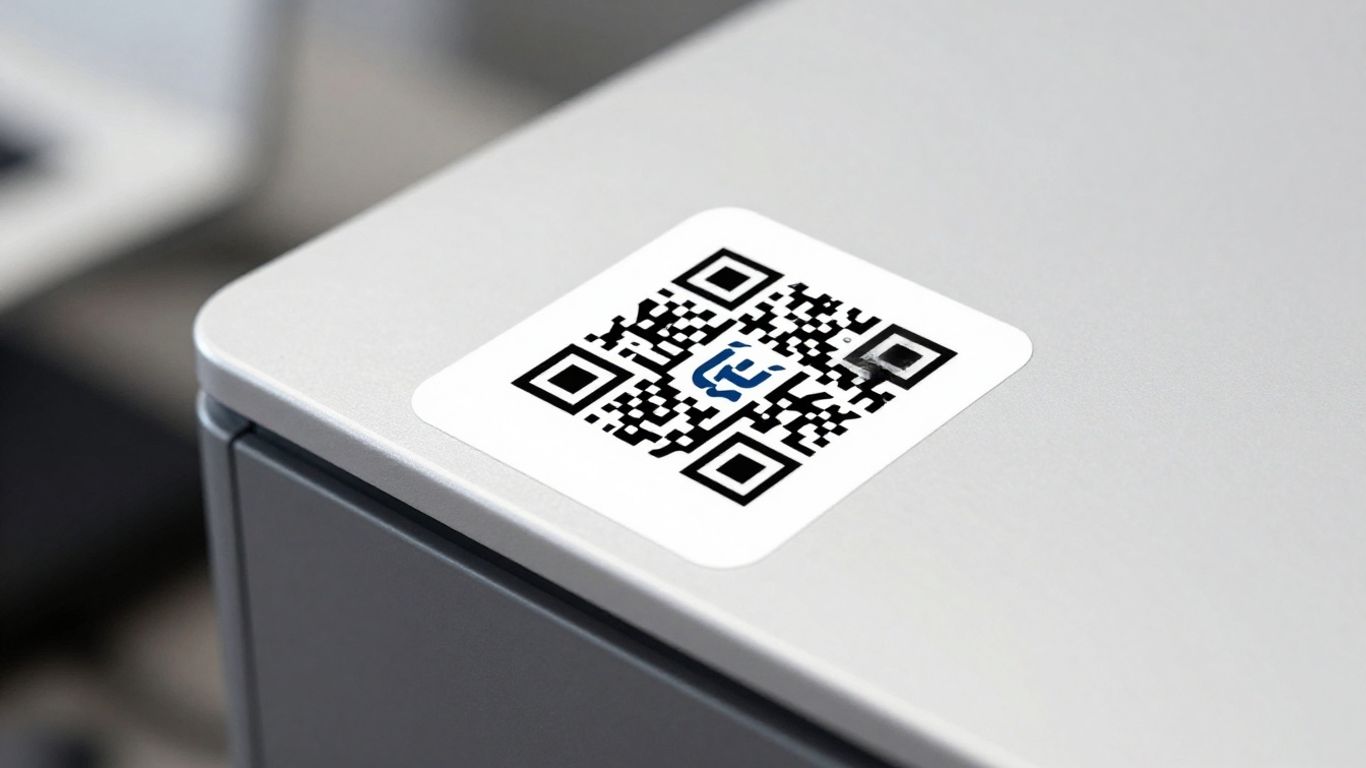
Using unique asset IDs and sequential numbering
Give each physical item one unique ID, even when several assets share the same model or description. Sequential numbering is simple to administer, while prefixes can help separate departments or asset classes. If an existing register already uses UUIDs or another numbering convention, mirror that convention rather than creating a second identity.
Before printing, check for duplicates, missing numbers and accidental spaces. A short ID is easier to read aloud and compare during an audit. The same sequence can then appear in the QR destination, the asset register and any replacement-label request.
Adding human-readable details for quick checks
Human-readable text provides a useful safety net when a label is dirty, damaged or viewed in poor light. Include the asset ID as a minimum, then consider a short department code, location reference or contact instruction. Avoid printing information that will change frequently, such as a room number, unless the label can be replaced easily.
A clean hierarchy usually works best: logo and code as the visual anchors, followed by the ID in a size that can be read at arm’s length. This is particularly helpful for IT equipment and shared tools, where staff often need to confirm identity before moving or servicing an item.
Linking QR codes to records, manuals or service logs
Encode a short URL or unique ID rather than the entire asset history. The scan can then lead to a record containing manuals, risk assessments, inspection forms, service notes, ownership and location. Keeping the detail in the database makes the label smaller and allows the record to evolve without reprinting the physical identifier.
A useful asset page might show the operating manual first, with maintenance actions and compliance documents available through clear sections. For equipment used by different teams, give each user the simplest relevant action, such as “report a defect” or “view safety instructions”.
Deciding between static and dynamic QR destinations
A static QR code points to a fixed destination. It is suitable where the URL will remain stable and the label has a short expected life. A dynamic QR destination can route users elsewhere later, which is more suitable for long-lived equipment, changing manuals or records that may move between systems.
Dynamic behaviour belongs to the platform generating and redirecting the code, not automatically to the printed sticker. For example, Xcan.it dynamic codes can be set up before production when later destination changes are part of the plan. Confirm the ownership, access and backup arrangements for that platform before committing to a large rollout.
How to design a logo asset label that scans reliably
A branded label needs a practical layout before it needs embellishment. QR readers depend on contrast, clear boundaries and sufficient module size, while logos and extra text can quickly crowd a small surface. Design at the final print size and test with the phones or scanners that staff will actually use.
Placing the logo without reducing code readability
Keep the logo outside the QR symbol whenever possible. If it must sit near the code, leave a clear separation and never allow artwork, text or a background pattern to enter the quiet zone. The code should remain the strongest visual block on the label.
Place the asset ID where it can be read without covering the scanning area. On a narrow label, a horizontal layout may work better; on a small square label, put the logo above the code and the ID below it. The correct arrangement depends on the available surface and scanning distance.
Using contrast, quiet zones and suitable colours
Dark modules on a light, non-reflective background are generally the easiest to scan. Strong contrast matters more than matching every colour in a brand palette. Gradients, metallic effects and low-contrast pastel combinations can make a code unreliable, especially under warehouse lighting or through a phone camera.
Leave a quiet zone of at least four modules around the QR code. Keep the label surface clean, avoid glare and test the printed result rather than trusting a screen preview. The QR asset label guide offers a useful checklist for durability and scan-first design.
Selecting the right size for the asset surface
Size the code for the distance and angle at which it will be scanned. A small tool handled at arm’s length may suit a compact square label, while a plant-room asset viewed from a standing position may need a larger code. Curved, recessed or textured surfaces usually require more care than a flat cabinet door.
Do not reduce the code simply to make room for a larger logo. If the label feels crowded, simplify the wording, reduce decorative elements or choose a larger label format. A code that scans first time is more valuable than one that looks impressive in a design file.
Reviewing digital proofs before production
A digital proof should show the finished artwork at its intended dimensions, including the numbering sequence and any variable data. Check the first, middle and last examples in a run, not just one generic label. Confirm spelling, logo proportions, code destinations and the position of the adhesive split or backing where relevant.
Ask for a physical sample when the environment is demanding. Test it on the actual asset, under normal lighting, at the expected scanning distance and after exposure to cleaning or handling. This small step can reveal problems that a desktop proof cannot.
Which materials and adhesives suit your environment?
The right stock depends on the surface, temperature, cleaning routine and exposure to weather or chemicals. A label inside an office has very different needs from one on outdoor plant, a warehouse trolley or a frequently sanitised clinical device. Specify the environment before choosing the finish.
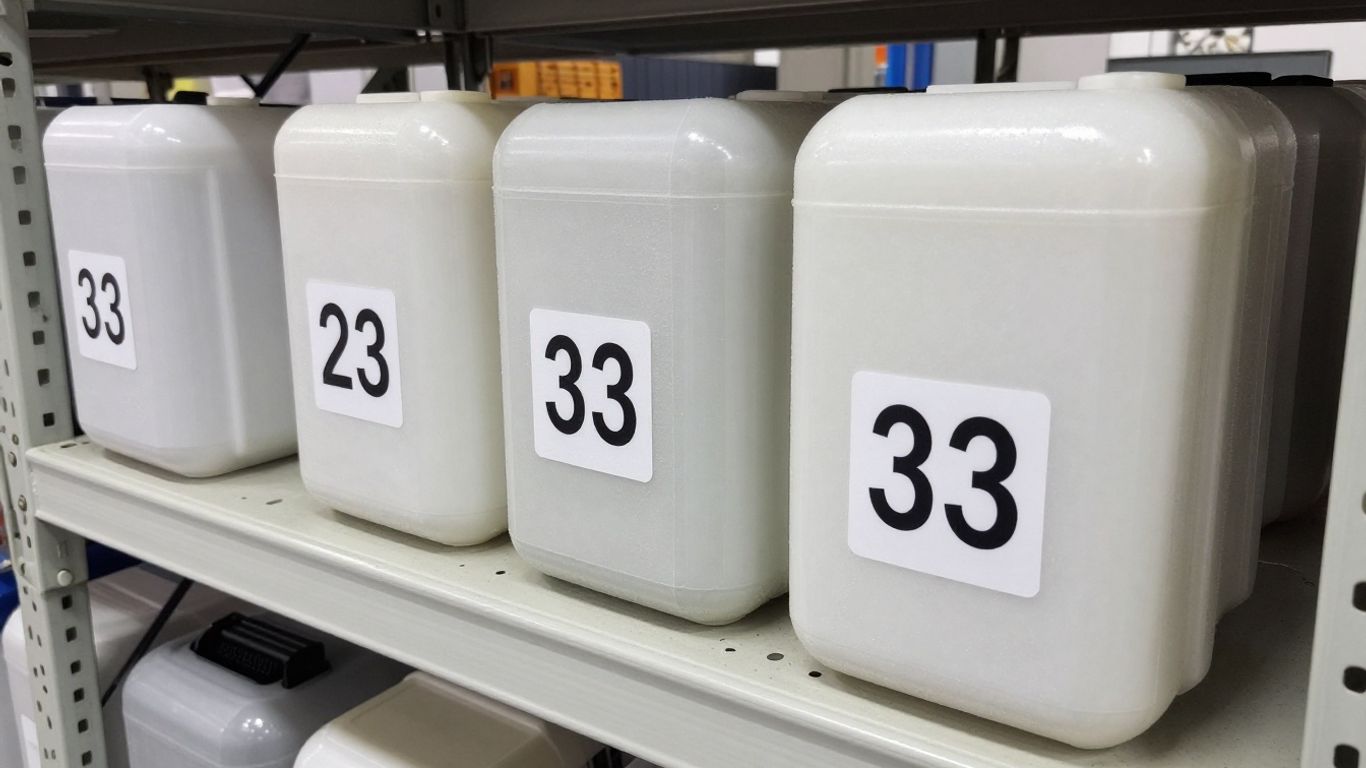
Choosing vinyl, PET and waterproof synthetic stocks
Vinyl is a practical choice for many indoor and outdoor applications because it is flexible and available with protective finishes. PET and other waterproof synthetic stocks suit areas where moisture, wiping or handling would make ordinary paper unsuitable. For small assets, choose a stock that conforms without lifting at the edges.
The printed face and the adhesive should be considered together. A waterproof face does not guarantee that a label will stay attached to a dusty, textured or oily surface. Clean and dry the application area, then allow the adhesive to bond before heavy use.
Protecting labels from UV, chemicals and abrasion
Outdoor labels may need UV protection, while plant rooms and workshops may need resistance to oils, cleaning agents or repeated contact. A laminate can help protect the print from abrasion, but it cannot correct an unsuitable adhesive or a poorly prepared surface.
List the exposures honestly when requesting a specification. Useful details include:
- direct sunlight or sheltered outdoor use;
- cleaning chemicals and sanitising frequency;
- rubbing, scraping or repeated handling;
- heat, cold and condensation.
That information makes it easier to choose a sensible construction rather than paying for protection the asset does not need. It also highlights where a sample should be tested before a full order.
Matching adhesives to metal, plastic, glass or painted surfaces
Metal, glass and smooth plastics can accept different adhesive options from powder-coated equipment, rough plastic housings or painted walls. High-tack adhesive may be appropriate for textured surfaces, whereas removable adhesive can be preferable for laptops or leased IT devices. Surface preparation remains essential in every case.
Consider the asset’s service life as well. A permanent label may be right for fixed plant, but an identification label on a replaceable monitor should not leave damage when the item is returned. If the surface is uncertain, provide photographs or request advice based on the material and conditions.
When to use tamper-evident or ultra low-tack options
Tamper-evident or destructible stocks can show whether a label has been removed or interfered with. They suit controlled equipment, warranty-sensitive items and applications where a replacement label should trigger a check. They are not necessary for every asset and may make later relabelling more difficult.
Ultra low-tack options are useful where the label must be removed cleanly, such as temporary project equipment or some IT devices. Whichever option you choose, test removal and adhesion on a spare surface before applying labels to valuable assets.
How branded asset labels fit into tracking workflows
A label creates value when it is connected to a repeatable process. Decide what happens when an item arrives, moves site, receives maintenance, fails an inspection or leaves service. Then make the scan the simplest way to carry out that action.
Connecting labels with CMMS and EAM platforms
A QR code can open an asset record in Mobiess and most CMMS/EAM platforms, provided the destination and user permissions are configured correctly. The record may contain maintenance history, job forms, manuals or inspection evidence. Confirm the platform’s URL format and test a real user journey before sending data for print.
This is where QR asset tracking guidance can help teams plan durable stickers, software connections and record-keeping together. The label supplier prints the identifier; the organisation remains responsible for the quality and governance of the digital record.
Managing variable data from CSV or Excel files
Variable printing is useful when every label needs a different QR code, number or text field. Prepare a clean CSV or Excel file with one row per asset and stable column headings. Remove duplicates, check leading zeroes and decide how missing values should be handled before artwork is produced.
A simple data check prevents expensive mistakes. Match the first and last printed examples to the source file, then sample several rows in between. Keep the approved data file with the proof so that future replacements can be traced to the original sequence.
Recording assets from receiving through to disposal
Apply the label as close as practical to the receiving or commissioning stage. Record the asset ID, description, location, custodian and condition, then update the record when the item moves. At disposal, retire the identifier rather than reusing it for a different asset.
This lifecycle approach avoids a common failure: labels being printed first and records created later from memory. The scan should support receiving, allocation, transfer, repair, inspection and disposal without creating parallel numbering systems.
Using scans to improve maintenance and stock control
Technicians can scan to open a service form, check a manual or report a fault at the point of work. Warehouse staff can scan locations and items during put-away, picking or counting. These small actions reduce repeated searching and make missing information visible sooner.
A scan is not proof that work was completed; the workflow still needs the correct user, timestamp and result. Review failed scans and incomplete records regularly. They often indicate a label-size, placement or process issue rather than a problem with the whole tracking system.
Where can asset labels with logo be used?
Branded identification works across many UK settings, from a small tool store to a distributed facilities estate. The label format should follow the work: compact and discreet for IT equipment, highly durable for plant, and clearly visible for inspection points. A consistent visual system helps people understand what to scan and why.
Equipment, tools and IT asset tracking
Use labels on tools, laptops, AV equipment, machinery and shared devices to connect the physical item with its record. A readable ID helps with handovers, while the QR code can lead to a manual, service history or issue-reporting form. Removable adhesive may be sensible for equipment that is leased or regularly replaced.
For manufacturing teams, good digital records also support the wider operational picture. Asset identification can sit alongside managed IT for manufacturers where system availability, compliance and maintenance data all matter, without putting technical detail on the label itself.
Warehouse locations, bins and inventory
Labels can identify racking, shelves, bins, cages and individual stock items. Location codes reduce ambiguity during put-away and picking, while item codes support counts and traceability. Use a larger format where staff scan from a forklift or across an aisle.
Separate location identifiers from item identifiers so a stock move does not require relabelling the item. A clear prefix or visual distinction can make that difference obvious during a busy shift.
Fire door inspections and compliance records
A QR label on a fire door can direct an authorised user to an inspection record, defect form or safety documentation. The printed ID gives the door a visible identity, which helps match the inspection result to the correct opening. The label must not obscure mandatory signage, instructions or hardware.
Set a routine for checking that the code remains readable after cleaning, repainting or building work. Compliance evidence is strongest when records are dated, attributable and linked to a clearly identified physical asset.
Outdoor equipment, signage and facilities management
Outdoor plant, gates, bins, lighting columns and facilities signage face weather, dirt and glare. Use a suitable material, size the code for the viewing distance and avoid placing it across a curve or reflective edge. Include a fallback instruction where users may have limited connectivity or older scanning devices.
Facilities teams should also record the label’s location and replacement procedure. A durable tag can last for years, but the associated record still needs an owner and a review date.
How to order custom asset labels with logo
Ordering is easier when the operational decisions are made before artwork begins. Gather the asset count, surfaces, environments, code destinations and data format first. Then ask for a specification that balances scan reliability, durability, appearance and budget.
Defining quantities, sizes and label formats
Start with the smallest asset and the longest expected scanning distance. Decide whether labels will be supplied individually, on rolls, or in sheets, and whether corners, shapes or application gaps matter to the installer. Include a small allowance for replacements if assets are likely to be relabelled.
For a first project, separate the requirements by environment rather than forcing every asset into one construction. One size and material may suit office equipment, while outdoor plant needs a different laminate or adhesive.
Preparing artwork, numbering and data files
Supply a vector logo where possible and state the required colours, dimensions and clear space. Provide the QR destinations or ask for a sequence to be generated, then send the final CSV or Excel data with one row per label. Do not rely on a spreadsheet preview as a substitute for proof checking.
If you need a straightforward route to order stickers, include the intended surface and use in the enquiry. Those details help the supplier advise on stock and adhesive rather than simply reproducing an attractive design that may not last.
Testing samples in the intended environment
Apply a sample to the real material and scan it with the devices used by staff. Try normal angles, low light, gloves and any cleaning routine that the label will face. Check both the code and the human-readable ID after the label has been handled.
Record what happened and adjust size, placement or finish before approving production. A short pilot on one site is often more informative than a large order based only on a digital mock-up.
Confirming proofs, production and UK delivery
Before approval, check the numbering range, quantities, logo, QR destinations, material, adhesive, finish and packing format. Keep the final proof and data file with the asset project documentation. Ask how replacements will be identified if a label is lost or an asset is added later.
UK production and tracked delivery can simplify timing for a planned rollout, but agree lead times in writing. Once the labels arrive, inspect the first pack immediately and scan a sample from each batch before distributing them to sites.
Conclusion
Asset labels with logo work best when branding, identification, materials and digital records are designed as one practical system. Give every asset a clear identity, protect the code from visual clutter, test the label in its real environment and connect scans to records people can use. Done carefully, a modest sticker can make maintenance, inspections, stock control and compliance work easier without adding unnecessary complexity.
Frequently Asked Questions
What is an asset label with a logo?
It is a printed label that combines a company or organisation logo with an asset identifier such as a QR code, barcode or serial number. It identifies the physical item while helping staff associate it with the right owner or tracking record.
Should an asset label include a QR code and a serial number?
Usually, including both is useful. The QR code supports quick digital access, while the human-readable serial number provides a fallback for visual checks, manual searches and audits.
What should a QR code link to for asset tracking?
It should normally link to a short URL or unique ID that opens the relevant asset record. The record can contain manuals, maintenance history, inspection forms, safety documents, ownership and location details.
Are dynamic QR codes suitable for long-term assets?
They can be useful when the destination may change during the asset’s life. Before using one, confirm who manages the redirecting platform, how access is controlled and what happens if the service is unavailable.
What material is best for outdoor asset labels?
A waterproof synthetic or vinyl construction with suitable UV protection is often appropriate, but the choice depends on sunlight, chemicals, abrasion, temperature and the surface. Test a sample where conditions are severe.
How large should a QR asset label be?
The code should be large enough to scan comfortably from the expected distance and angle. Small tools may need compact labels, while equipment viewed across a room or aisle needs a larger code and clearer placement.
How can organisations prevent duplicate asset numbers?
Maintain one controlled register, assign each asset a unique identifier and check the numbering file before printing. Retire old IDs rather than reusing them, and keep approved proofs and replacement records with the asset documentation.