
Getting your business cards sorted can feel like a bit of a chore, can’t it? You want something that looks good, makes a good impression, and actually gets your details across. If you’re thinking about getting them printed, Vistaprint is a name that pops up a lot. They do a lot of different printing stuff, and business cards are a big part of that. This guide is basically to walk you through what Vistaprint offers for business card printing, so you can figure out if it’s the right fit for you and your business.
Key Takeaways
- Vistaprint offers a straightforward way to get professional business cards printed, with options for design, materials, and finishes to suit different needs.
- You can use Vistaprint’s online tools to either create a design from scratch, adapt their templates, or upload your own artwork for business card printing.
- Choosing the right paper stock and finish is important for how your Vistaprint business cards look and feel, impacting their durability and professional appearance.
- The Vistaprint ordering process is designed to be user-friendly, with clear steps for design, proofing, and delivery across the UK.
- While Vistaprint offers competitive pricing, investing in quality business card printing can contribute to a stronger brand image and long-term marketing value.
Understanding Vistaprint Business Card Printing
Why Choose Vistaprint for Your Business Cards
When it comes to making a good first impression, your business card is often the first physical touchpoint a potential client or contact will have with your brand. Vistaprint has become a go-to for many businesses, from sole traders to larger companies, for their printing needs. They offer a wide range of options that allow you to create cards that look and feel professional, without breaking the bank. It’s about getting that balance right between quality and affordability. You can find a variety of customizable Standard Business Card templates to get you started, which can be adapted to fit your specific business needs.
The Vistaprint Printing Process Explained
Getting your business cards printed with Vistaprint is a fairly straightforward process. You start by choosing a design, either from their extensive library of templates or by uploading your own artwork. Once you’ve settled on a design, you select your preferred paper stock and any special finishes. The online system guides you through each step, making it easy to see how your choices affect the final look and feel. After you’ve finalised your design and options, you place your order. Vistaprint then takes over, handling the printing and quality checks before dispatching your cards.
Quality Assurance in Vistaprint's Service
While Vistaprint offers a wide range of products at competitive prices, they also put a focus on quality. They use modern printing technology to ensure your designs are reproduced accurately, with sharp text and vibrant colours. For those looking for something a bit more substantial, options like their Premium Plus business cards are made from extra-rigid paper, giving them a sturdy and high-quality feel. This attention to detail means you can be confident that the cards you receive will represent your business well. Even with the inclusion of elements like QR codes, which need to be scannable, Vistaprint aims for clarity and precision in their printing.
Incorporating QR codes on your business cards is a smart move. For instance, UK organisations use durable, high-tack QR code stickers to track assets, prove compliance, or link equipment to digital instructions. This shows how a simple QR code, when printed well, can serve practical business functions beyond just contact information. Vistaprint’s printing quality helps ensure these codes are easily scannable, making them a useful addition to your card.
Designing Your Vistaprint Business Cards
Tailoring Designs to Your Brand Identity
Your business card is often the first physical impression a potential client has of your company. It needs to look right, feel right, and say the right things about who you are. At Vistaprint, you’ve got a lot of room to play with here. Think about your logo, your brand colours – are they bold and modern, or more classic and understated? The design should reflect that. For instance, a graphic designer might use a clean, minimalist layout with a striking colour accent, while a financial advisor might opt for a more traditional serif font and a muted colour scheme. It’s about making sure the card feels like a natural extension of your business. Even something as simple as adding a QR code sticker to your card can be designed to fit your brand, linking customers to your portfolio or a special offer.
Incorporating Essential Contact Information
This might sound obvious, but getting the details right is key. You need to include:
- Your Name and Title: Make it clear who you are and what you do.
- Company Name: If applicable, and your logo.
- Phone Number: A direct line or main office number.
- Email Address: A professional business email.
- Website: Your company’s online home.
- Physical Address: If you have a brick-and-mortar location.
Don’t forget about the back of the card. It’s a prime spot for extra information, perhaps a brief service list, a company slogan, or even a QR code that links directly to your vCard contact details. This way, people can save your information instantly without any typing.
Exploring Design Templates and Customisation
If you’re not a designer, don’t worry. Vistaprint offers a huge library of pre-made templates. You can browse by industry, style, or even colour. Once you pick a template, you can tweak it to make it your own. Change the fonts, adjust the colours, add your logo, and upload images. It’s a really flexible way to get a professional look without needing design software. For example, you could take a standard template and add a unique graphic element or a subtle background texture. You can even upload your own complete design if you’ve already got something in mind. Remember, even a simple QR code can be styled to match your design, making it a functional part of your overall look.
When designing, always consider the final print. Colours can look different on screen compared to paper, and fine details might get lost if the resolution isn’t high enough. It’s worth checking Vistaprint’s guidelines for file types and resolutions to avoid any surprises.
Think about how you might use QR code stickers in your business beyond just contact details. For example, a construction company might use durable, high-tack labels on equipment to link workers to digital safety instructions or maintenance logs, proving compliance on-site. This shows how versatile QR codes can be, and they can be integrated into your business card design too. You can explore a wide selection of customisable templates to get started.
Material and Finish Options at Vistaprint
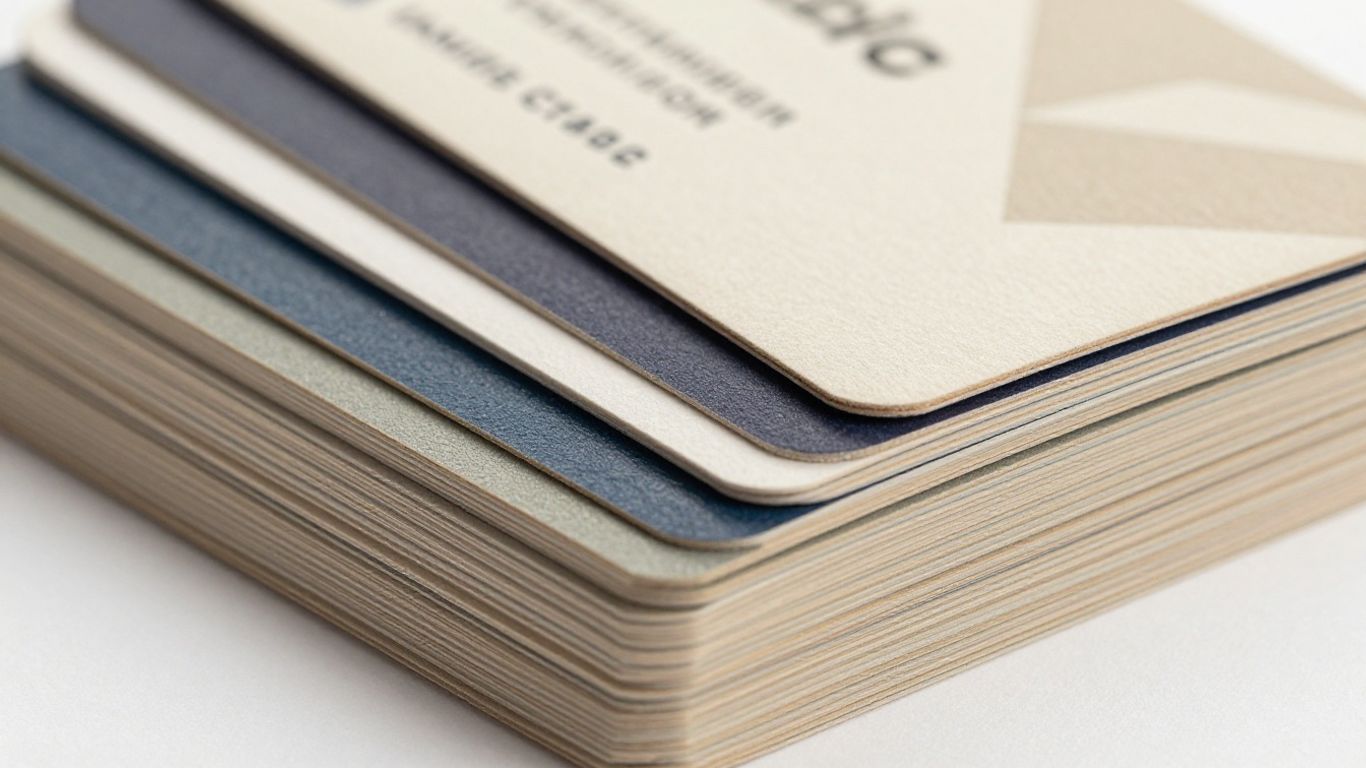
When you’re thinking about your business cards, the feel and look of the paper, along with the finish, really matter. It’s not just about the design; it’s about the whole package. Vistaprint gives you a good range of choices here, so you can get something that feels right for your business.
Selecting the Right Paper Stock
Vistaprint offers a variety of paper stocks, each with its own texture and weight. You can go for a standard, sturdy card that feels reliable, or something a bit more special. Think about a smooth, matte finish for a classic look, or perhaps a slightly textured stock for a more tactile feel. The weight of the paper also plays a part; a heavier card stock generally feels more premium. It’s worth considering how often the card will be handled and what impression you want it to make. For instance, a creative agency might opt for a more unique paper, while a financial advisor might prefer something more traditional and substantial. Even with a QR code sticker on your card, the base material sets the tone.
Understanding Premium Finishes
Beyond the paper itself, Vistaprint provides different finishes to make your cards stand out. A gloss finish can make colours pop and give a shiny appearance, which is great for vibrant designs. On the other hand, a matte finish offers a more understated, sophisticated look and is less prone to fingerprints. You can also explore options like soft-touch lamination, which gives a velvety feel, or even spot UV for highlighting specific elements of your design, like a logo or a QR code. These finishes aren’t just for show; they can add a layer of protection too. For example, a durable laminate can help your card withstand daily use, keeping it looking sharp.
Durability and Professional Appearance
Ultimately, the material and finish you choose contribute significantly to the card’s durability and overall professional appearance. A flimsy card can feel cheap and might not last long, whereas a well-chosen stock with a suitable finish projects quality and attention to detail. This is where Vistaprint’s range comes in handy. You can find options that balance cost with a high-quality feel. For example, many UK organisations use durable, high-tack QR code stickers on equipment to track assets or link to digital instructions, proving the value of robust materials. Similarly, your business card needs to hold up. A card that feels solid and looks good reflects well on your brand. Consider how a premium finish, like a soft-touch laminate, not only feels good but also protects the card from scuffs and wear, maintaining that professional look over time. This attention to detail can make a real difference in how your business is perceived.
The choice of paper and finish is more than just aesthetics; it’s a tactile representation of your brand’s quality and professionalism. It’s the first physical interaction someone has with your business, so making it a good one is key.
Optimising Your Business Cards for Impact
Ensuring Readability and Clarity
Making sure your business card is easy to read is pretty important. Think about it – if people can’t quickly see your name, company, or how to get in touch, the card’s main job is a bit lost, isn’t it? This means choosing fonts that are clear and not too small. Avoid overly fancy scripts that look nice but are a nightmare to decipher, especially in lower light. A good rule of thumb is to test print a draft and see if you can read it comfortably from arm’s length. This applies to all the text, from your job title to your website address. Even a QR code needs to be clear to scan properly.
Strategic Placement of Information
Where you put things on your card matters. It’s not just about cramming everything on there. Think about the most important bits of information – usually your name, company, and phone number. These should be prominent. Less critical details, like a full address if you rarely have visitors, can be smaller or placed on the back. This visual hierarchy helps people find what they need fast. It’s a bit like organising a shop display; you want the main products front and centre. Even the placement of a QR code can make a difference; putting it too close to the edge might mean it gets trimmed off during printing, or it could be obscured by other design elements.
The Role of QR Codes on Business Cards
QR codes have become a really handy addition to business cards. They’re a quick way for someone to get more information or save your details without typing anything. You can link a QR code to your website, a specific landing page, your LinkedIn profile, or even a vCard that lets people save your contact details directly to their phone. For example, many tradespeople in the UK now use QR code stickers on their vans that link to their service pages or booking forms. This means a potential customer seeing their vehicle can instantly get more information. When printing your business cards, make sure the QR code is large enough to scan easily – around 20-25mm is a good starting point. It’s also vital to have a good contrast between the code and the background, and to leave a clear space around it, often called a ‘quiet zone’, so scanners don’t get confused. Testing your QR code before you commit to a large print run is a must. You can even get durable, high-tack QR code stickers for equipment or vehicles that need to withstand tougher conditions, proving compliance or linking to digital instructions.
When designing your business cards, think about the journey the recipient will take. A clear, well-organised card with a functional QR code that leads to relevant information is far more effective than a cluttered card with a code that doesn’t work.
Here’s a quick checklist for optimising your card:
- Font Choice: Select legible fonts, avoiding overly decorative styles.
- Size Matters: Ensure text is readable at arm’s length.
- Information Hierarchy: Place key details prominently.
- QR Code: Use a good size (20-25mm), high contrast, and a quiet zone.
- Testing: Always test print your cards, especially the QR code, before finalising your order. This is also where you might consider premium business card finishes for added durability and visual appeal.
By paying attention to these details, your business cards will be more than just a piece of paper; they’ll be a powerful tool for making connections and leaving a lasting impression. Remember, a well-designed card, complete with a functional QR code, can be a gateway to further engagement, much like how businesses use QR code stickers to track assets or link equipment to digital instructions. For more on making your cards stand out, explore selecting premium finishes.
The Vistaprint Ordering and Delivery Experience
Navigating the Online Ordering System
Getting your business cards from Vistaprint is designed to be straightforward. You start by choosing the card type you want, then you’re guided through customisation options. This includes selecting your design, paper stock, and any special finishes. The website is pretty intuitive, making it easy to find what you need. You can upload your own artwork or use their design tools. If you’re thinking about adding a QR code, you’ll find options to integrate that too. For example, some businesses use QR code stickers to link equipment to digital manuals, and Vistaprint allows for similar integration on your cards.
Proofing and Approval Process
Once you’ve finalised your design, Vistaprint provides a digital proof. This is a crucial step. You get to see exactly how your cards will look before they go to print. It’s your chance to check all the details – text, images, colours, and especially the scannability of any QR codes. It’s really important to review this proof carefully. You can usually request revisions if something isn’t quite right. Once you’re happy, you approve the proof, and that’s when production begins. This ensures you get exactly what you expect.
Timely Delivery Across the UK
After you approve your proof, Vistaprint gets to work printing your cards. They offer various delivery options to suit your needs. For standard orders, delivery typically takes a few business days. If you’re in a real hurry, they sometimes have faster options available, though this can depend on the complexity of your order and current production schedules. You’ll usually receive tracking information once your order has been dispatched, so you can keep an eye on its journey to your UK address. This means you can plan when to expect your new business cards, whether they’re for a new marketing push or just a general restock. Many companies, like those using durable QR code stickers for asset tracking, rely on predictable delivery schedules to maintain operations.
Maximising Your Investment with Vistaprint
Cost-Effectiveness of Vistaprint Services
When you’re looking at printing business cards, it’s easy to get bogged down in the numbers. Vistaprint aims to make this process straightforward, offering a range of options that can fit different budgets. They often have deals and bulk discounts, which means the more cards you order, the less each one tends to cost. This is particularly helpful if you’re a new business or have a large sales team needing consistent branding. Think about it: ordering 500 cards might seem like a lot, but if the price per card is significantly lower than ordering two batches of 250, it’s a smarter financial move. Plus, with their online tools, you can get instant quotes, so there are no hidden surprises.
Long-Term Value of Quality Business Cards
It might be tempting to go for the cheapest option available, but the long-term value of a well-made business card really can’t be overstated. A card that feels flimsy or looks poorly printed can give the wrong impression about your business. On the other hand, a sturdy card with crisp printing and a professional finish suggests attention to detail and reliability. This is where Vistaprint’s focus on quality materials and finishes comes into play. Investing a little more upfront can mean your cards last longer, make a better impression, and ultimately work harder for your brand. It’s about creating a tangible representation of your business that people will want to keep.
Leveraging Vistaprint for Brand Consistency
Brand consistency is key in today’s market, and your business cards are a vital part of that. Vistaprint allows you to upload your own logo and brand colours, or use their design tools to create something that perfectly matches your existing marketing materials. This means every card you hand out reinforces your brand identity. For example, a local bakery could use Vistaprint to ensure their cards feature the exact shade of blue from their shop signage and their distinctive logo, creating a recognisable touchpoint. Even adding a QR code to your card can be done with brand consistency in mind; many services allow you to customise the QR code itself to match your colours, ensuring it looks like a natural extension of your design, not an afterthought. This attention to detail helps build trust and recognition with potential clients. For instance, companies like QR Print Tech offer custom QR code stickers that can be used on assets to prove compliance or link equipment to digital instructions, demonstrating how even small printed elements can be integrated seamlessly into a broader brand strategy.
Your Next Steps
So, there you have it. Getting professional business cards printed with Vistaprint is pretty straightforward. You pick your design, choose your paper, and place your order. They handle the printing and delivery, making it easy to get quality cards without too much fuss. It’s a solid way to make sure your first impression is a good one, and you’ve got a tangible reminder of your business to hand out. Give it a go when you’re ready for an update.
Frequently Asked Questions
How much do Vistaprint business cards cost?
The price can change depending on how many cards you order, the type of paper you pick, and any special finishes you want. Generally, Vistaprint offers good value, especially if you buy in larger quantities. It’s best to check their website for the most up-to-date prices for your specific needs.
Can I design my own business card with Vistaprint?
Yes, you absolutely can! Vistaprint has lots of ready-made designs you can tweak, or you can start from scratch and upload your own logo and artwork. Their online design tools make it pretty straightforward to create something that looks just right for your business.
What kind of paper options does Vistaprint offer?
Vistaprint provides a range of paper choices, from standard, good-quality cardstock to thicker, more premium options. You can also choose different finishes like matte, gloss, or even soft-touch for a more luxurious feel. The paper choice really affects how professional your card looks and feels.
How long does it take to get my Vistaprint business cards?
Delivery times can vary depending on your location in the UK and the printing options you choose. Vistaprint usually gives you an estimated delivery date when you place your order. They often have options for faster delivery if you need your cards in a hurry.
Can I add a QR code to my Vistaprint business card?
Definitely! Adding a QR code is a great way to link people directly to your website, social media, or contact details. You can usually add this during the design process on their website. Just make sure the QR code is large enough and has enough contrast to be easily scanned.
What if I'm not happy with my Vistaprint business cards?
Vistaprint aims for customer satisfaction. If there’s a problem with the printing quality or if the cards aren’t what you expected due to an error on their part, they usually have a customer service team you can contact. They often offer reprints or refunds in such cases.