
Making a good first impression is important, and in the business world, that often starts with your business cards. Getting them printed just right can make a big difference. We’ll walk you through some tips to make sure your business cards printing in the UK comes out looking sharp and professional, helping you stand out from the crowd.
Key Takeaways
- Picking the right paper weight and finish for your business cards printing is key to how they feel and how long they last.
- A well-thought-out design that includes your brand colours and logo makes your business cards memorable and easy to read.
- Make sure any QR codes you add are a good size, placed well, and tested thoroughly before you print your business cards.
- Understanding the difference between digital and offset printing helps you get the best colour accuracy and sharp details for your cards.
- Finishing touches like lamination or rounded corners can add a professional feel and extra durability to your business cards printing.
Choosing The Right Paper Stock For Your Business Cards Printing
The paper your business cards are printed on makes a big difference. It’s not just about how they look, but how they feel and how long they last. Think of it as the handshake of your business – it should feel solid and professional.
Understanding Paper Weights And Finishes
Paper weight is usually measured in grams per square metre (gsm). For business cards, you’ll typically see weights ranging from 300gsm to 400gsm, sometimes even higher. A heavier stock, like 350gsm or 400gsm, feels more substantial and premium. Lighter stocks might feel a bit flimsy, which isn’t ideal for a first impression.
Finishes are just as important. You’ve got:
- Uncoated: This has a natural, slightly textured feel. It’s great for a classic, understated look and is easy to write on if you need to jot down a quick note. It also works well if you plan to add a QR code that needs to be easily scannable without glare.
- Silk: This has a smooth, low-sheen surface. It’s a popular choice because it offers a good balance of quality and print vibrancy.
- Gloss: This has a shiny, reflective surface. It makes colours pop and gives a very modern feel, but it can sometimes cause glare, which might affect QR code scanning if not placed carefully.
- Matt: Similar to silk but with no sheen at all. It offers a sophisticated, modern look and is good for reducing glare, making it a solid choice for cards featuring QR codes.
The Impact Of Paper Choice On Durability
If your business cards are going to be handled a lot, perhaps in a busy retail environment or at trade shows, durability is key. A thicker, heavier card stock will naturally withstand more wear and tear. Consider how often your cards will be pulled out of wallets or pockets. A card that bends easily or has corners that fray quickly won’t reflect well on your business. For added protection, finishes like lamination (which we’ll cover later) can significantly boost a card’s lifespan. Even something as simple as a QR code sticker on a piece of equipment needs to be durable; using high-tack labels ensures they stay put, proving compliance or linking to instructions without peeling off. Printed QR Code Stickers & Cards are designed for this kind of resilience.
Exploring Sustainable Paper Options
More and more businesses are looking for eco-friendly options, and the printing industry is responding. You can find business cards printed on recycled paper stocks, which have a great story to tell. These often have a slightly more textured feel, which can add character. There are also papers made from alternative fibres, like cotton or bamboo. When choosing a sustainable option, check for certifications like FSC (Forest Stewardship Council) to be sure the paper comes from responsibly managed forests. Even if you’re printing durable QR code stickers for asset tracking, opting for recycled materials where possible shows a commitment to the environment.
The right paper stock isn’t just a material choice; it’s a tactile representation of your brand’s quality and values. It influences perception before a single word is read.
Designing Your Business Cards For Maximum Impact
When it comes to business cards, the design is everything. It’s the first impression many people will have of your company, so it needs to be spot on. Think about what you want your card to say about you. Is it modern and sleek, or more traditional and trustworthy? Getting this right is key to making sure your card actually gets noticed and remembered. A well-designed card can really make you stand out from the crowd, and it’s not as complicated as you might think. We’ve got some tips to help you get there.
Key Design Elements For Readability
Making sure your business card is easy to read is probably the most important part of the design. If people can’t quickly find your name, company, and contact details, the card’s effectiveness drops significantly. This is where font choice, size, and colour contrast come into play. You want text that’s clear and stands out against the background. Think about using a clean, sans-serif font for the main details, as these tend to be very legible even at smaller sizes. Avoid overly decorative fonts that can be hard to decipher. Also, consider the hierarchy of information – your name and title should be prominent, followed by your contact number and email. A good rule of thumb is to keep the text size at a minimum of 7pt for readability, though 8pt or 9pt is often better. Remember, a business card is a practical tool, and its primary function is to share information easily. Even when incorporating elements like QR codes, clarity is paramount. For instance, a QR code sticker on a piece of equipment needs to be easily scannable, just like the text on your card.
Incorporating Your Brand Identity
Your business card is a miniature billboard for your brand. It should reflect your company’s personality and values. This means using your brand’s colours, logo, and overall aesthetic consistently. If your brand is bold and vibrant, use strong colours. If it’s more understated and professional, opt for a more minimalist approach. The goal is to create a cohesive look that people will recognise. For example, a company with a strong visual identity might use their signature blue and yellow throughout the card design. This consistency helps build brand recognition over time. Even small details, like the font used in your logo, should ideally tie into the overall typography of the card. When you add a QR code, consider if it can be styled to match your brand, perhaps with custom colours or a small logo integrated, as long as it doesn’t affect scanability. This attention to detail makes your card memorable and reinforces your brand message. You can find great advice on creating a card that represents your brand at expert advice.
The Role Of White Space In Design
Often overlooked, white space – or negative space – is a powerful design tool. It’s the empty areas on your card that aren’t filled with text or graphics. Far from being wasted space, it actually helps to make your design look cleaner, more organised, and less cluttered. Giving your elements room to breathe makes them easier to digest. Think of it like a well-arranged room; you need space between furniture to move around comfortably. On a business card, white space helps guide the viewer’s eye to the most important information. It can make a simple design feel more sophisticated and professional. For example, a card with a lot of text crammed in can feel overwhelming, whereas a card with generous white space around the text and logo feels more approachable and easier to read. This principle also applies to QR codes; ensuring there’s a clear ‘quiet zone’ around the code is vital for reliable scanning. A cluttered design, whether in text or graphics, can detract from the overall impact. You can learn more about designing effective business cards in our comprehensive guide.
Ensuring Scanability With QR Codes On Business Cards
Adding a QR code to your business card can be a smart move, linking people directly to your website, portfolio, or contact details. But it’s not just about sticking a code on there; it needs to work reliably. A poorly designed or placed QR code can be frustrating, leading to missed connections. Think about it like this: you wouldn’t hand out a business card with a smudged phone number, would you? The same care needs to go into your QR code.
Optimal QR Code Size and Placement
Getting the size and placement right is key. Too small, and it becomes a dense mess that phones struggle to read. Too big, and it might dominate your card. For most standard business cards, a QR code around 2cm x 2cm is a good starting point. It’s large enough to be easily scanned at arm’s length, which is how most people will interact with it. Remember to leave some ‘breathing room’ – a clear space of at least 1cm around the code itself. This quiet zone helps scanners focus on the code, significantly improving scan success rates. Avoid placing it too close to the edge or over busy design elements. A clear, uncluttered area is best.
Testing Your QR Codes Before Printing
This is a step many people skip, but it’s really important. Before you commit to a big print run, print a single test card. Use a couple of different phones to scan it – an iPhone and an Android, for example. Check that the link opens quickly and goes to the correct destination. This simple check can save you a lot of hassle and potential embarrassment down the line. It’s also a good idea to test it in different lighting conditions if possible. Think about how organisations like Transport for London use QR codes on signage; they need to be scannable in all sorts of environments.
Static Versus Dynamic QR Codes For Business Cards
When you generate a QR code, you’ll often have a choice between static and dynamic. Static QR codes are fixed; once printed, the destination can’t be changed. They’re great for simple links that won’t change, like a direct link to your website. Dynamic QR codes, however, offer more flexibility. They allow you to change the destination URL after the code has been printed. This is really useful if you want to update a link later, perhaps to a new landing page or a seasonal promotion. Dynamic codes also often come with analytics, so you can see how many times your code has been scanned. Many UK businesses, from Screwfix to smaller tradespeople, use dynamic QR codes on everything from business cards to asset tracking labels, allowing them to update information without reprinting. For instance, a tradesperson might use a dynamic QR code on their business card that initially links to their ‘about us’ page, but can later be updated to link to a special offer or a new service page. This adaptability is a real advantage in a fast-moving market.
The Printing Process For High-Quality Business Cards
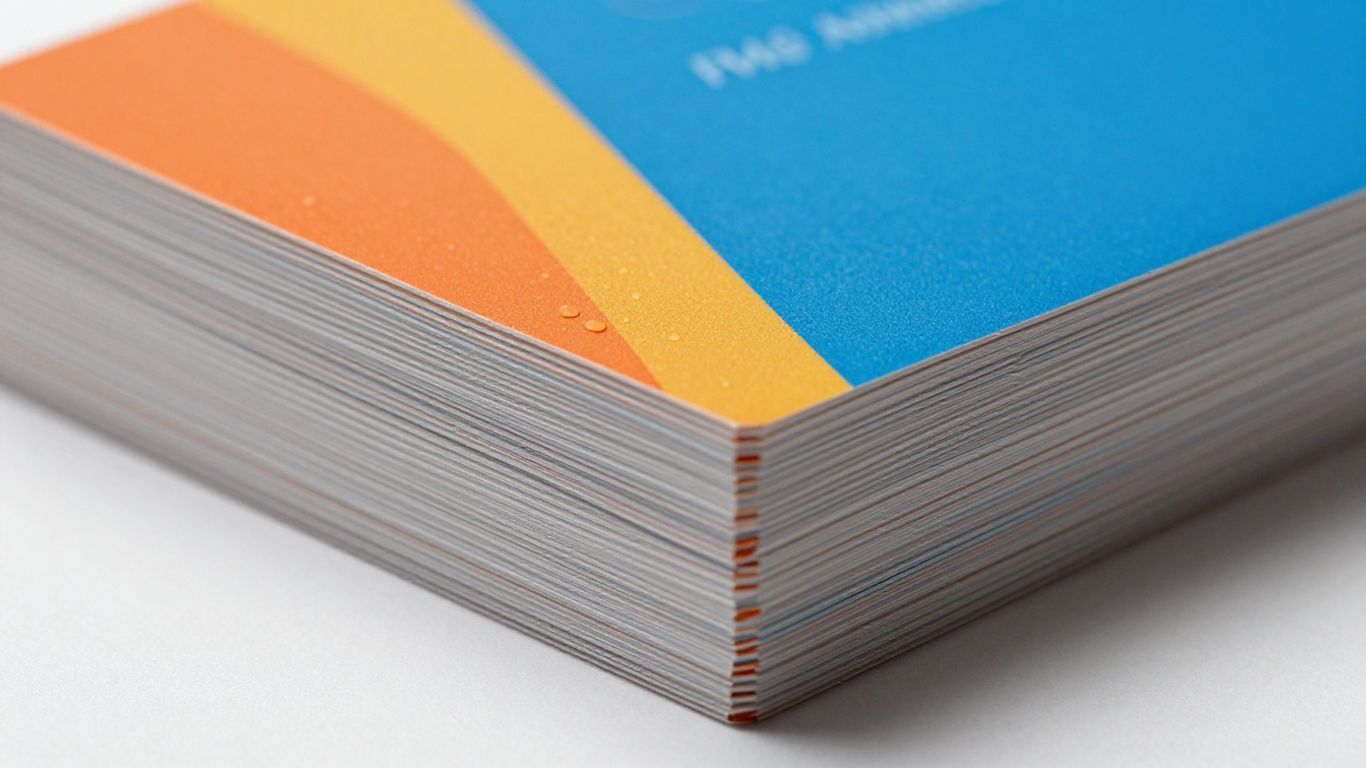
Getting your business cards printed is the final step before they can start working for you. It’s not just about slapping ink on paper; the actual printing method makes a big difference to the final look and feel. Understanding these processes helps you make informed choices.
Digital Printing Versus Offset Printing
When it comes to printing business cards, you’ll generally encounter two main methods: digital and offset printing. Each has its own strengths, and the best choice often depends on your order size, budget, and desired quality.
- Digital Printing: This is a more modern approach, similar to what you might find in a high-end office printer, but on a much larger scale. It’s fantastic for shorter runs and offers quick turnaround times. Digital printing allows for easy variable data printing, meaning each card can be unique – useful if you want to include personalised messages or individual names without a huge cost increase. It’s also great for vibrant colours and detailed images. Many UK-based printers offer professional business card printing services using digital technology for its speed and flexibility.
- Offset Printing: This is a more traditional method, often favoured for larger print runs where consistency and colour accuracy are paramount. It involves transferring ink from a plate to a rubber blanket, then to the paper. While it has a higher setup cost, the per-card price can be lower for big quantities. Offset printing is known for its sharp text and smooth colour gradients, making it a solid choice for a classic, high-end feel. It’s also excellent for achieving precise Pantone colour matches.
Understanding Colour Accuracy And Consistency
Getting the colours right on your business cards is really important for brand recognition. What you see on your screen might not be exactly what comes off the printer, and this is where colour management comes in.
- CMYK vs. Pantone: Most digital and offset printing uses the CMYK (Cyan, Magenta, Yellow, Black) colour model. This is a subtractive colour process, good for full-colour images. However, some specific brand colours might not be perfectly reproducible with CMYK alone. For exact colour matching, especially for corporate branding, Pantone colours are used. These are pre-mixed inks that offer a wider gamut and guaranteed consistency. Discussing your brand’s specific colour codes with your printer is a good idea.
- Proofing: To avoid disappointment, always ask for a proof. This could be a digital PDF proof showing how the colours should look on screen, or even a physical printed swatch. For critical colour matching, a physical proof is highly recommended. This allows you to see the actual printed colours before the full run begins. Many printers, like those offering premium templates, provide proofs as standard.
The Importance Of Crisp Edges And Sharp Details
Beyond colour, the sharpness of your text, the clarity of any images, and the clean finish of the card edges all contribute to a professional impression. Think about how a slightly fuzzy logo or a rough edge can detract from an otherwise good design.
- Resolution: Ensure your design files are created at a high resolution (typically 300 dpi for print) to prevent pixelation and blurriness. This is especially important if your design includes fine lines or small text.
- Bleed and Trim: Printers need a ‘bleed’ – an extra margin of your design that extends beyond the final trim line. This ensures that when the cards are cut to size, there are no unprinted white edges. A clean trim is vital; it shows attention to detail.
- QR Code Clarity: If you’re incorporating QR codes, their scannability is paramount. Crisp edges and high contrast are non-negotiable for reliable scanning. Using vector formats like SVG for QR codes ensures they remain sharp at any size. Many businesses now use durable, high-tack QR code stickers to track assets or link equipment to digital instructions, proving the need for sharp, clear printing. Testing your QR codes before the main print run is a must.
The printing process itself is a blend of art and science. While modern technology has made it more accessible and precise, understanding the basics of colour, resolution, and finishing techniques will help you communicate effectively with your printer and achieve the high-quality business cards your brand deserves. Don’t hesitate to ask questions; a good printer will be happy to guide you through the options.
When considering the printing process, remember that UK-based services often provide advantages like faster turnaround and direct communication. For instance, companies specialising in custom business cards can guide you through these technical aspects.
Finishing Touches For Professional Business Cards
So, you’ve got your paper sorted and your design looking sharp. Now, let’s talk about those little extras that really make your business cards pop. These aren’t just about looking good; they can actually make your cards more practical and memorable. Think of them as the handshake of your printed materials – a final, polished impression.
Exploring Lamination and Coating Options
Lamination and coatings are like a protective shield for your business cards. They add a layer of durability, making them resistant to smudges, tears, and general wear and tear. This is especially important if your cards are going to be handled a lot or kept in wallets and pockets. You’ve got a few main choices here:
- Matt Lamination: This gives a smooth, sophisticated feel and reduces glare, making text easier to read. It’s a popular choice for a modern, understated look.
- Gloss Lamination: This finish makes colours really vibrant and gives a shiny, high-impact appearance. It’s great for designs that need to stand out.
- Soft-Touch Lamination: For a bit of luxury, this offers a velvety texture that feels really nice to the touch. It’s a subtle way to add a premium feel.
- UV Coating: This is a high-gloss varnish applied to specific areas of your card, often over a matt background, to create a striking contrast. It’s fantastic for highlighting logos or key design elements.
When considering these finishes, remember that they can affect how easily a QR code sticker might scan. A high-gloss finish, for instance, can sometimes cause glare. It’s often best to opt for a matt or silk finish if you’re incorporating a QR code, or ensure the code itself is printed with sufficient contrast and a quiet zone. For example, many UK businesses use durable, high-tack QR code stickers on equipment, and these often pair well with matt finishes on the accompanying business card for reliable scanning. See customisation options.
Special Finishes to Make Your Cards Stand Out
Beyond standard lamination, there are other finishes that can really make your business cards unique. These are the details that people might not consciously notice, but they contribute to the overall perception of quality and professionalism.
- Spot UV: As mentioned, this is where a clear, glossy varnish is applied to specific parts of your design. It’s perfect for making your logo or a key graphic element really jump off the card.
- Embossing/Debossing: This involves raising (embossing) or lowering (debossing) parts of the card stock. It adds a tactile dimension that’s very memorable.
- Foil Blocking: This is a popular choice for adding metallic accents, like gold, silver, or coloured foil, to your design. It gives a luxurious and eye-catching effect.
These special finishes can add a significant cost, so it’s worth weighing up the impact against your budget. Even a simple, well-designed card with a spot UV logo can make a big impression. If you’re adding a QR code, ensure any special finishes don’t interfere with its scannability. For instance, a foil-blocked area should not cover the QR code itself. Many companies use custom QR code stickers for asset tracking, and these are often designed to be highly visible and scannable, so pairing them with a card that has a clear, unhindered QR code area is key.
The Benefits of Rounded Corners
It might seem like a small detail, but rounded corners can make a surprising difference to the feel and longevity of your business cards. Sharp corners can bend, fray, or even poke holes in pockets and bags over time. Rounded corners:
- Improve Durability: They are less prone to damage and creasing.
- Feel Nicer: They offer a softer, more comfortable feel in the hand.
- Look More Professional: They give a modern, refined aesthetic.
When you’re thinking about the overall presentation, rounded corners contribute to a polished finish. They can also make your card feel more approachable. If you’re including a QR code, rounded corners don’t typically affect scanability, but it’s always good practice to ensure the QR code itself is placed with a sufficient quiet zone around it, away from the edges. Many businesses use QR code stickers on equipment for easy access to digital instructions, and these stickers are often designed with rounded corners themselves for a similar reason – to prevent peeling and improve durability. Designing your business cards with rounded corners is a simple step that adds a lot of polish.
UK Based Business Cards Printing Services
Choosing a printer located in the UK for your business cards offers several practical advantages. For starters, it means you’re supporting local industry, which is always a good thing. More tangibly, it often translates to quicker delivery times. Instead of waiting for international shipping, your cards can be produced and in your hands much faster. This is particularly helpful if you’re running low or need a last-minute reorder. Many UK printers also offer direct support, meaning you can speak to a real person, often someone with a good grasp of printing specifics, rather than navigating automated systems.
Benefits Of Local Manufacturing
Producing your business cards within the UK brings a level of quality control and accountability that can be harder to achieve with overseas suppliers. Local print lines mean tighter oversight on the printing process, from paper stock to the final cut. This consistency is vital, especially if you’re incorporating elements like QR codes. A poorly printed QR code sticker, for instance, might not scan reliably, causing frustration for potential clients. UK-based operations often pride themselves on this attention to detail. For example, some companies use their UK facilities to produce durable, high-tack QR code stickers for asset tracking, ensuring that equipment information is always accessible.
Fast Turnaround Times For Your Orders
When you need business cards in a hurry, a UK-based printer can be a lifesaver. Many offer expedited services, with some even providing next-day delivery options for stocked items. This speed is a direct result of shorter supply chains and efficient production schedules. Imagine you’ve just landed a big client meeting and realised your business cards are running low – a local printer can often sort you out with a fresh batch quickly. This rapid turnaround is also beneficial for reprinting any materials, including custom QR code stickers for promotional events, ensuring you don’t miss opportunities.
Direct Support From Print Experts
One of the often-overlooked benefits of using a UK-based printing service is the direct access to support. Instead of dealing with overseas call centres, you can usually speak directly with knowledgeable staff. This means getting clear answers to your questions about paper weights, finishes, or even the best way to design a scannable QR code for your cards. For instance, if you’re unsure about the optimal size and placement for a QR code sticker on your business card, a UK print expert can offer practical advice based on their experience. This personal touch can make a significant difference in the final quality and usability of your printed materials. You can find services that allow you to speak directly with someone like Simon, who can guide you through the process and discuss your specific needs, ensuring your cards are exactly as you envision them. This level of direct support is invaluable when aiming for high-quality results, and it’s a key reason many businesses choose to print with UK companies.
Using a UK-based printer can simplify the entire process, from initial design queries to final delivery, offering peace of mind and a tangible connection to your print provider.
Final Thoughts on Your Business Card Printing
So, we’ve gone through quite a bit on getting your business cards printed just right here in the UK. It’s not just about picking a colour and hitting print, is it? Paying attention to the details, like the paper stock, the finish, and making sure your design is clear and easy to read, really does make a difference. Remember to test things out, especially if you’re adding QR codes or anything that needs to be scanned. Getting it right means your cards will look professional and do the job they’re meant to do – making a good first impression. Take your time with the process, and you’ll end up with cards you’re proud to hand out.
Frequently Asked Questions
What's the best paper to use for my business cards?
Think about how long you want your cards to last and how they’ll feel. Thicker paper, like cardstock, is more durable and feels more premium. For a greener choice, look for recycled or sustainably sourced paper options.
How much information should I put on my business card?
Keep it simple and clear! Include your name, job title, company name, phone number, email, and website. Too much text makes it hard to read. Your goal is to give people the essential contact details easily.
Are QR codes on business cards a good idea?
Yes, they can be very useful! A QR code can link directly to your website, social media, or even save your contact details straight to someone’s phone. Just make sure it’s a good size and easy to scan.
How do I make sure my QR code works?
Before you print a big batch, always test your QR code. Print it out on a regular piece of paper at the size it will be on your card, and then try scanning it with a couple of different phones to make sure it loads quickly.
What's the difference between digital and offset printing for cards?
Digital printing is great for smaller runs and quicker turnarounds, often being more budget-friendly. Offset printing is usually for larger quantities and offers very precise colour matching, giving a high-end finish.
Why should I choose a UK-based printing service?
Using a UK printer often means faster delivery times and easier communication, as they’re in the same time zone. Plus, you’re supporting local businesses and can often get more direct support from the printing experts.