

So, you need a business card that actually does something? It’s not just about looking pretty on a desk anymore. A good business card can be a powerful tool, especially when you add a QR code. But just slapping a QR code on there isn’t enough. You need to think about what you want it to do, how it looks, and if people can actually use it. Let’s break down how to make your business card work harder for you.
Key Takeaways
- Make sure your business card has a clear purpose for the QR code, whether it’s to share contact details or link to your website.
- Design your QR code with good contrast and a clear space around it so it scans easily on most phones.
- Think about how your logo and brand colours fit with the QR code to make your business card look professional.
- Choose the right file type for printing and always test your QR code before you print a big batch.
- Consider different materials and finishes for your business card to make it durable and memorable.
Defining Your Business Card's Purpose
Choosing the Right Link for Your Business Card
Before you even think about colours or fonts, the most important thing is to figure out what you want your business card to do. It’s not just a piece of paper with your contact details anymore. Think of it as a tiny, physical gateway to your digital world. What’s the main action you want someone to take after they’ve been handed your card? Do you want them to save your contact details instantly? Visit your website? Book a consultation? Or perhaps follow you on social media?
For example, a tradesperson might want a QR code that links directly to a booking form, making it super easy for a potential client to schedule a quote. A graphic designer might prefer a link to their online portfolio, showcasing their best work. The choice of link dictates the entire purpose of the QR code on your card. It’s about making it as simple as possible for the recipient to take the next step you want them to.
Understanding Static vs. Dynamic QR Codes
When you decide on your link, you’ll also need to consider whether a static or dynamic QR code is best. Static QR codes are free to generate and the information is embedded directly into the code itself. Once created, the destination can’t be changed. This is fine if your link is unlikely to ever change, like a link to your company’s ‘About Us’ page.
Dynamic QR codes, on the other hand, offer more flexibility. They link to an intermediary URL, which then redirects to your chosen destination. This means you can change the destination link later on without having to reprint your business cards. This is incredibly useful if your website address changes, or if you want to update the link to a seasonal promotion or a new landing page. Dynamic codes also often come with analytics, allowing you to track how many people are scanning your card, where they’re scanning from, and even what device they’re using. For businesses that want to track engagement or update information regularly, dynamic QR codes are a smart choice. For instance, a company might use dynamic QR code stickers on their equipment to link to up-to-date maintenance manuals, easily updating the link if a new version is released.
Setting Clear Objectives for Your Business Card
So, let’s get specific. What are your objectives? Having a clear goal will guide every design decision.
- Objective 1: Lead Generation: Your primary aim is to capture new business. The QR code might link to a landing page with a special offer or a contact form.
- Objective 2: Brand Awareness: You want to make a memorable impression and ensure people remember your brand. The QR code could link to your main website or a ‘contact us’ page.
- Objective 3: Information Sharing: You need to provide easy access to more detailed information, like a full product catalogue or a company profile.
Think about the journey you want your potential client to take. A well-defined purpose means your business card works harder for you, acting as a consistent and reliable tool for connection and engagement.
For example, many UK organisations use durable, high-tack QR code stickers on their assets to prove compliance or link equipment to digital instructions. This shows how a clear objective, like asset tracking, can be met with the right technology. This approach to designing a business card is all about making it work for you.
Designing a Scannable Business Card QR Code
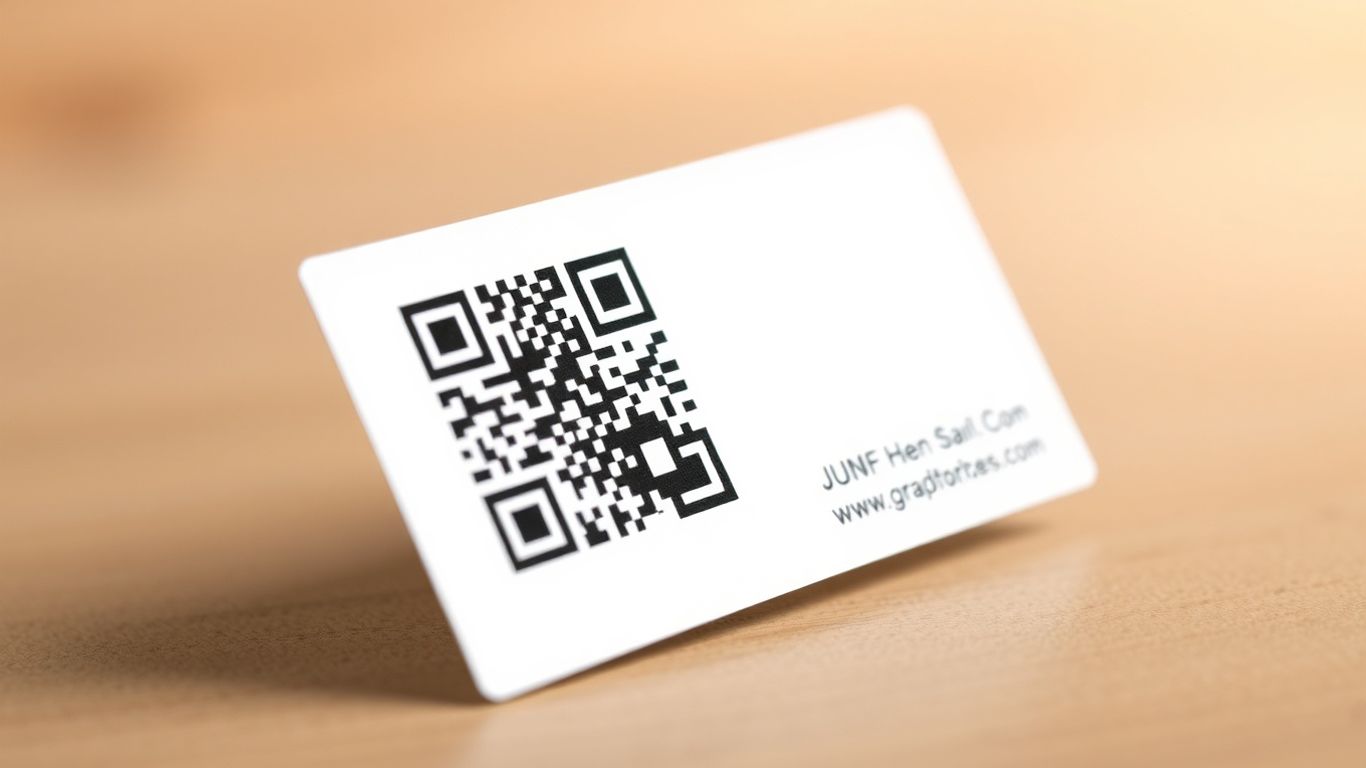
Getting a QR code onto your business card is one thing, but making sure it actually works when someone tries to scan it is another. It’s not just about slapping a square on there and hoping for the best. A poorly designed QR code can be frustrating for the person trying to connect with you, and frankly, it reflects badly on your attention to detail. Think of it like this: you wouldn’t hand out a business card with smudged ink or a typo, would you? The same care needs to go into the QR code itself.
Optimising QR Code Size and Placement
When you’re thinking about how big your QR code should be, it’s all about making it easy to scan from a normal distance. Most people will be holding your card at arm’s length, so aiming for a size of around 20–25mm square is a good starting point. Too small, and it becomes a dense jumble of pixels that even the best phone camera will struggle with. Too big, and it might dominate your card’s design. Placement is also key. Try to put it on a plain, light-coloured background. Avoid putting it too close to the edge of the card or right next to busy graphics, as this can interfere with the scanner. We’ve seen UK organisations use durable, high-tack QR code stickers on equipment to link workers to digital instructions, which is a great example of practical placement.
Ensuring High Contrast for Reliable Scans
This is probably the most important bit. For a QR code to scan quickly and reliably, it needs good contrast. The classic dark modules (the little squares) on a light background is the gold standard for a reason. Black on white is best, but dark blue on a pale yellow, for instance, can also work. What you want to avoid is anything that makes it hard for the camera to distinguish between the dark and light parts. This includes using light colours for the code itself, or putting it on a busy, patterned background. Even subtle gradients can sometimes cause issues. For example, some UK companies use custom QR code stickers with their branding, but they ensure the code itself remains high contrast against its background to prove compliance or track assets.
The Importance of a Quiet Zone
Ever tried to scan a QR code that’s crammed right up against other text or images? It’s a nightmare. That’s where the ‘quiet zone’ comes in. It’s essentially a clear, empty margin around the QR code. This space tells the scanner where the code begins and ends, helping it to focus properly. A good rule of thumb is to leave a border that’s at least four times the width of one of the small squares (modules) in the QR code. Think of it as giving the QR code some breathing room. Without it, even a perfectly printed code might fail to scan. This is why even when using QR code stickers for things like asset tracking, a clear border is always maintained to guarantee scannability.
Enhancing Your Business Card's Visual Appeal
Your business card is more than just contact details; it’s a miniature billboard for your brand. Making it look good is important, not just for first impressions, but for how memorable it is. Think about how you want people to feel when they see it. Do you want it to look modern, classic, playful, or serious? This feeling comes from the design choices you make.
Integrating Your Logo Effectively
Your logo is often the most recognisable part of your brand. Getting it right on your business card is key. It shouldn’t just be slapped on; it needs to fit the overall design. Sometimes, a smaller, well-placed logo works better than a huge one that dominates everything else. It’s about balance. For instance, many companies use their logo in a corner or subtly integrated into the background. This is where understanding your brand identity really comes into play. Even with QR codes, a logo can be placed in the centre of the code itself, provided it doesn’t interfere with scanning. Specialist printers can help with this, making sure your logo is clear and the QR code still works perfectly, like with some durable, high-tack labels used for asset tracking.
Using Brand Colours and Customisation
Sticking to your brand’s colour palette makes your card instantly recognisable. If your brand uses blues and greys, using those colours on your card reinforces your identity. Don’t go overboard with too many colours, though. Three or four main colours are usually plenty. Customisation goes beyond just colours; it’s about the overall feel. This could mean using a specific font that matches your brand’s personality or adding a subtle graphic element. Even the QR code itself can be styled to match your brand colours, as long as there’s enough contrast for it to scan reliably. Think about how companies use QR code stickers on packaging to match their product branding.
Considering Unique Shapes and Layouts
While standard rectangular cards are common, you could consider a different shape if it suits your brand. A rounded corner can soften the look, while a more unusual shape might make you stand out. However, be practical – will it fit in a wallet easily? The layout of information is also important. Don’t cram too much text onto the card. White space is your friend; it makes the card easier to read and look at. A clean layout, perhaps with the QR code placed strategically, can guide the viewer’s eye. Some businesses even use unique layouts for their QR code stickers, integrating them into larger designs for things like event signage or product packaging.
Technical Considerations for Your Business Card
When you’re getting your business cards printed, there are a few technical bits to think about to make sure everything works as it should, especially with that QR code. It’s not just about how it looks; it’s about how it functions.
Selecting the Right File Format for Printing
For printing, you’ll want to provide a file that keeps your design sharp and clear. Vector formats like SVG are generally the best choice because they can be scaled to any size without losing quality. If SVG isn’t an option, a high-resolution PNG file will also work well. Always check with your printer about their preferred file format and specifications. They might have specific requirements for bleed and colour profiles, like CMYK for professional printing, to ensure your business card size is correct after trimming [e7c0].
Understanding Error Correction Levels
QR codes have built-in error correction, which means they can still be scanned even if part of the code is damaged or obscured. There are four levels: L (low), M (medium), Q (quartile), and H (high). For business cards, especially if you’re adding a logo or custom design to the QR code sticker, using a higher error correction level like M or Q is a good idea. This helps maintain scannability. For instance, some UK organisations use durable, high-tack QR code stickers on equipment to link to digital instructions, and they rely on robust error correction to ensure these links remain accessible even with wear and tear.
The Role of URL Shorteners
If your QR code is linking to a website, especially a long URL, consider using a URL shortener. Shorter links result in simpler QR codes with fewer modules (the small squares). This makes the code less dense, which can improve scan speed and reliability. It’s a small step that can make a big difference in user experience. Think about how many businesses, from plumbers to driving schools, now use QR codes on their vehicles to link directly to service pages or booking forms – a short URL makes that connection much smoother.
Testing and Finalising Your Business Card Design
Right, so you’ve put a lot of thought into your business card, from the design to the QR code. It looks brilliant on screen, but before you hit print for a thousand copies, we really need to make sure it works in the real world. This is where testing comes in, and it’s not just a quick glance; it’s about making sure every element, especially that QR code, does exactly what it’s supposed to do.
Testing QR Code Readability Across Devices
It’s easy to forget that not everyone has the latest smartphone or uses the same operating system. What looks perfect on your brand-new iPhone might be a bit fiddly on an older Android device. So, the first step is to print a few test copies. Don’t just print one and scan it. Grab a couple of different phones – ideally an iPhone and an Android – and try scanning the QR code. See if it picks it up straight away. We’re talking about making sure it’s scannable at arm’s length, not requiring you to hold it right up to the lens. Think about how people will actually use it; they’ll likely pull it out of their wallet and give it a quick scan. If it struggles, you might need to adjust the size or contrast. For instance, organisations like Network Rail use durable QR code stickers on equipment to link staff to digital maintenance logs, and they have to ensure these codes are readable by a wide range of devices used across their network.
Evaluating Scan Speed and User Experience
Once you know the QR code is readable, the next thing to check is how fast it loads the linked content. Nobody wants to wait around for a webpage to buffer after scanning a card. A slow load time can be just as off-putting as a code that doesn’t scan at all. The goal is a near-instant connection to your website, portfolio, or contact details. If it’s sluggish, consider if the linked URL is too long or if the website itself needs optimisation. Sometimes, using a URL shortener can help make the QR code less dense and therefore faster to scan. Think about the whole journey: from the scan to the information they find. Is it clear what they should do next? Does the page load quickly and look good on a mobile screen? This is all part of the user experience. For example, many UK construction firms use high-tack QR code stickers on site equipment to link workers to safety manuals or compliance documents, and a quick load time is vital for keeping projects on schedule.
Final Checks Before Production
Before you commit to a large print run, do a final sweep. Check for any typos on the card itself. Make sure your logo is clear and correctly placed. If you’ve used brand colours, double-check they’ve been reproduced accurately. And, of course, give that QR code one last scan. It’s worth printing a few at the actual size you intend to use (around 20–25mm is usually good) and testing them in different lighting conditions – bright sunlight, office lighting, and even dimmer settings. This is also a good time to consider the material and finish of your cards. Will a glossy finish make the QR code harder to scan due to glare? A matte or silk finish might be better. For applications where durability is key, like on tools or equipment, using robust QR code stickers with a protective laminate is a smart move. Companies in the logistics sector, for instance, use these durable QR code stickers to track assets and prove compliance, ensuring the codes remain scannable even in harsh environments. It’s all about making sure your card is not just a piece of paper, but a reliable tool for connection.
Material and Finish Choices for Business Cards
Choosing the right materials and finishes for your business cards is more than just aesthetics; it’s about creating a tangible representation of your brand that lasts. The feel of the card in someone’s hand, its durability, and how it holds up over time all contribute to the overall impression. Think about how a premium card stock can communicate quality, while a more robust finish might suggest reliability and longevity. Even the humble QR code sticker can benefit from careful material selection, ensuring it remains scannable and intact, whether it’s on a piece of equipment or a product package. For instance, UK organisations use durable, high-tack QR code stickers to track assets, prove compliance, or link machinery to digital instructions, demonstrating the practical value of robust materials. Selecting the right label printing company involves understanding these needs.
Selecting Appropriate Card Stock
The foundation of any business card is its card stock. This isn’t just about thickness; it’s about the paper’s weight, texture, and composition. Standard business cards are often printed on 300-350gsm (grams per square metre) card, which offers a good balance of quality and cost. For a more substantial feel, consider heavier stocks like 400gsm or even 600gsm. These thicker cards feel more premium and are less likely to bend or tear, making them ideal for frequent handling. The texture also plays a role – uncoated stocks offer a natural, tactile feel, while coated stocks (like silk or gloss) provide a smoother surface and more vibrant colour reproduction. When integrating QR codes, ensure the stock isn’t too absorbent, which could affect print clarity. Even for QR code stickers, the base material, like vinyl, is chosen for its resilience.
Exploring Different Finishes for Durability
Finishes add a protective layer and can significantly alter the look and feel of your business card. A popular choice is lamination, which involves applying a thin plastic film.:
- Matte Lamination: Offers a smooth, non-reflective surface that feels sophisticated and is excellent for readability, including for any QR codes. It’s also quite resistant to fingerprints.
- Silk Lamination: Provides a soft, velvety feel with a subtle sheen, giving a premium look without being overly glossy. It offers good protection against scuffs.
- Gloss Lamination: Creates a shiny, vibrant finish that makes colours pop. However, it can be prone to glare, which might affect QR code scanning in bright light. It offers good protection against moisture.
- Uncoated: While not a finish in the same sense, leaving a card uncoated preserves its natural texture and is excellent for writing on, but offers less protection against wear and tear. For QR code stickers, a matte laminate is often preferred to reduce glare and improve scan reliability, especially in varied lighting conditions Ensuring QR codes scan reliably.
Considering Specialised Materials
Beyond standard card stock, there are specialised materials that can make your business card stand out and serve specific purposes. For example, recycled or sustainable paper stocks appeal to environmentally conscious businesses. Textured papers, like linen or felt, add a unique tactile dimension. For extreme durability, especially if your card needs to withstand harsh environments or frequent use, consider synthetic materials like plastic or vinyl. These are waterproof, tear-resistant, and can be printed with robust QR code stickers for asset tracking or compliance purposes. Think about how a company might use a durable QR code sticker on equipment to link directly to maintenance manuals or safety procedures. Customisation options for QR code stickers allow for these specialised needs.
The choice of material and finish directly impacts the perceived value and longevity of your business card. It’s an investment in how your brand is remembered and interacted with long after the initial exchange.
Putting It All Together
So, there you have it. Designing a business card that really works for you isn’t just about looking good, though that’s part of it. It’s about making sure it does what you need it to do, whether that’s sharing your contact details easily or pointing people towards your website. We’ve covered the basics, from what information to include to how to make it look professional. Remember, your card is often the first physical impression someone gets of your business, so take a bit of time to get it right. It doesn’t have to be complicated, just thoughtful. A well-designed card can make a real difference, and now you’ve got the know-how to create one that truly represents you and your work.
Frequently Asked Questions
What's the best size for a QR code on my business card?
For easy scanning, aim for a QR code that’s about 20-25mm square. Make sure there’s a clear space around it, like a little border, so phones can read it quickly.
Can I put my company logo on the QR code?
Yes, you can! It’s a great way to make your card look more professional. Just make sure there’s still a good contrast between the dark and light parts of the code, and don’t let the logo cover too much of it.
Should I use a static or dynamic QR code?
Static QR codes are free and can’t be changed once made. Dynamic QR codes let you update the link later and track how many people scan them, which can be really useful for business.
What file type should I use when sending my card design to a printer?
It’s best to use an SVG file because it’s a vector format that stays sharp no matter how big you print it. A high-quality PNG file can also work if SVG isn’t an option.
How can I make sure my QR code will scan properly?
Always test your QR code on different phones (like iPhones and Androids) in various lighting conditions before printing. Check that the website or link opens quickly and clearly.
What kind of paper is best for my business cards?
Think about how durable you need the card to be. Thicker cardstock feels more premium and lasts longer. You can also explore different finishes like matte or silk to protect the card and make it look great.